

Ergo Task Chair
Example price: $249
WooCommerce product inquiry plugin
Give customers a simple way to request product details, pricing and availability without going through checkout. Collect multiple products in one inquiry and manage every request directly inside WordPress.
Launch price: $39/year$59/year renewal if authorized.1 website license included.
In development — Not yet available for download or purchase.
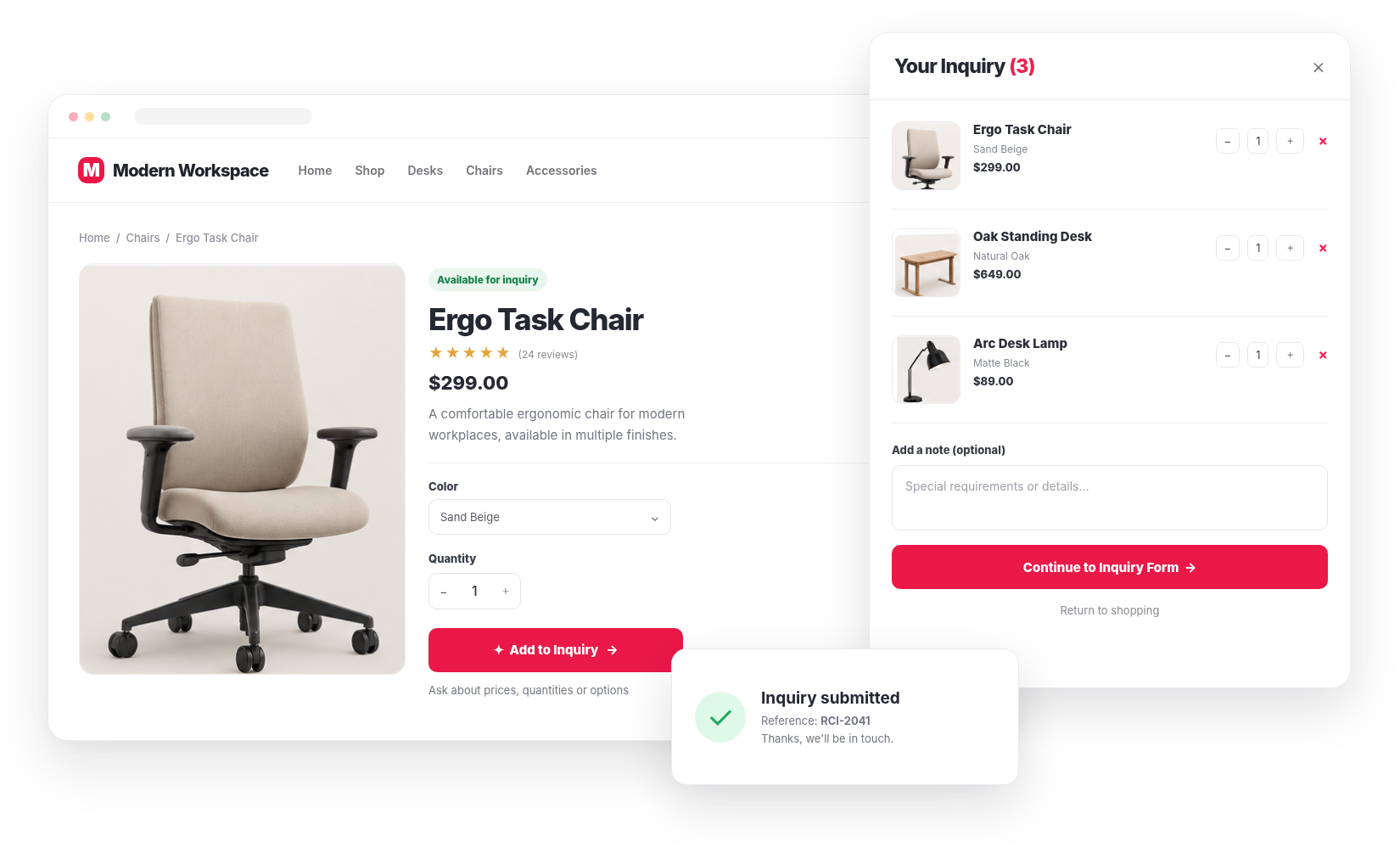
Works with WooCommerce and popular WordPress page builders. Add inquiry functionality to supported product layouts using the plugin's shortcodes and native button-link integration methods.
WordPress
Core platform
WooCommerce
Required

Divi
Native Divi Button + CSS class
Elementor & more
Supported shortcode placement
Shortcode support does not guarantee every proprietary product template or builder version has been tested. Test your configuration on staging.
For custom products, wholesale orders, specialist equipment and larger purchases, customers often need more information before making a decision.
RedConic Add to Inquiry gives them an easier way to start the conversation.
Collect eligible products, variations and quantities in one request.
Ask relevant questions and capture the information needed for a useful response.
Review inquiries, update statuses and access customer information from the plugin dashboard.
Style the inquiry experience to match your existing WooCommerce design.
How it works
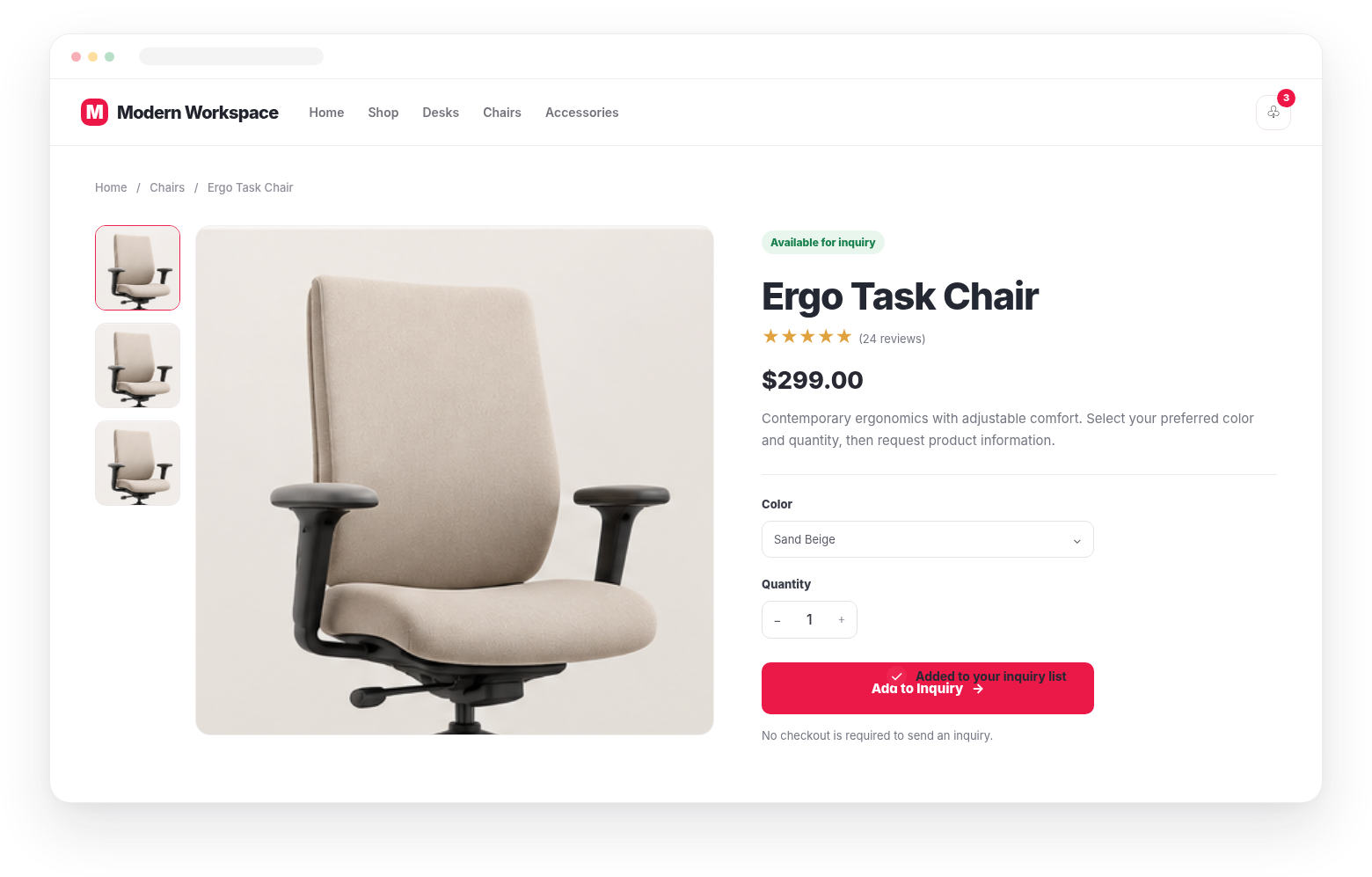
Interactive Demo
Explore the customer experience yourself. Add products, open the inquiry drawer, customize your request and see how everything works.
This is a browser-based demonstration using sample products. No real inquiry or order is created.
Example price: $249
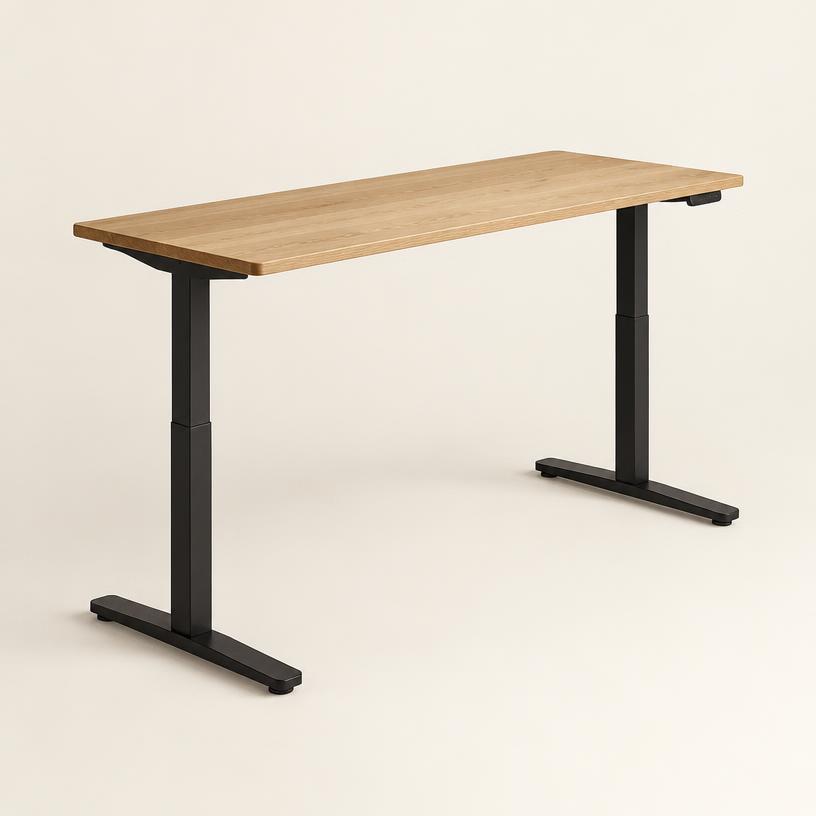
Example price: $599

Example price: $89
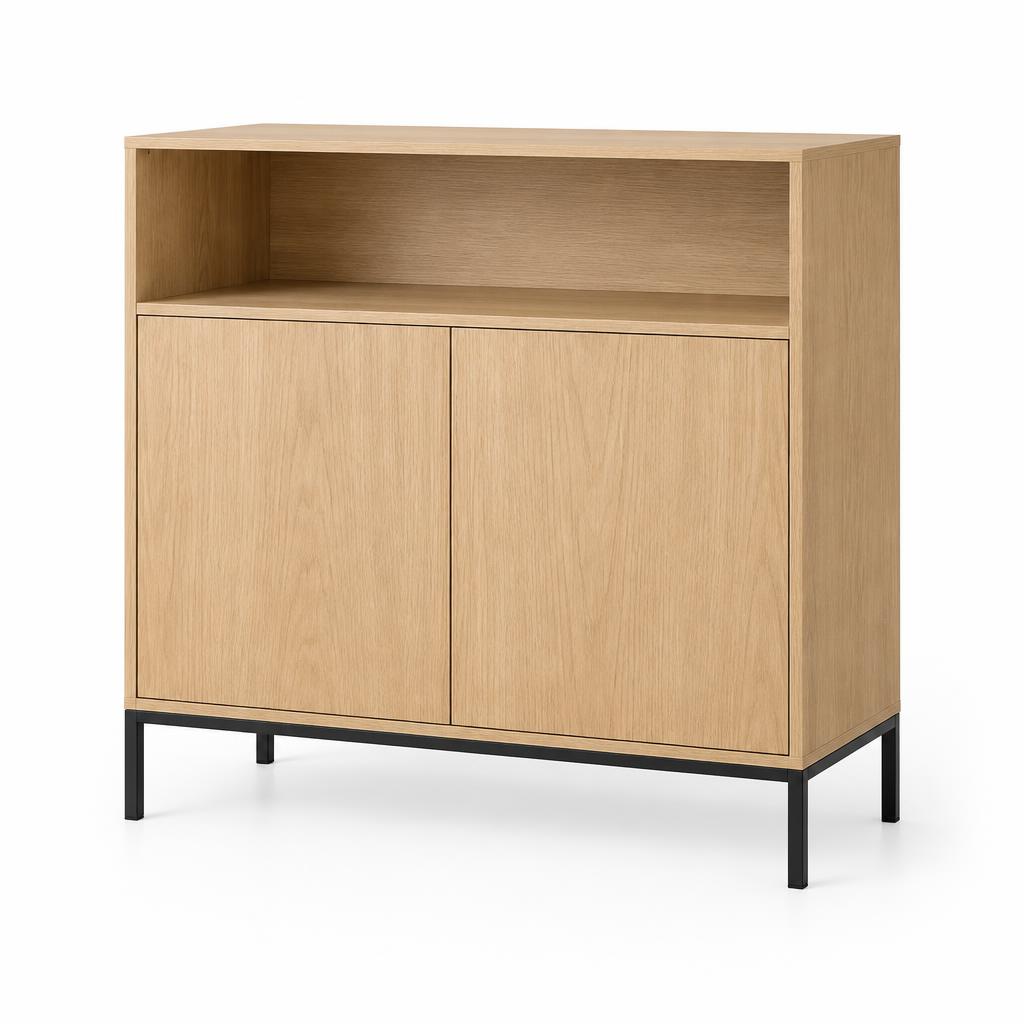
Example price: $329
Customer experience
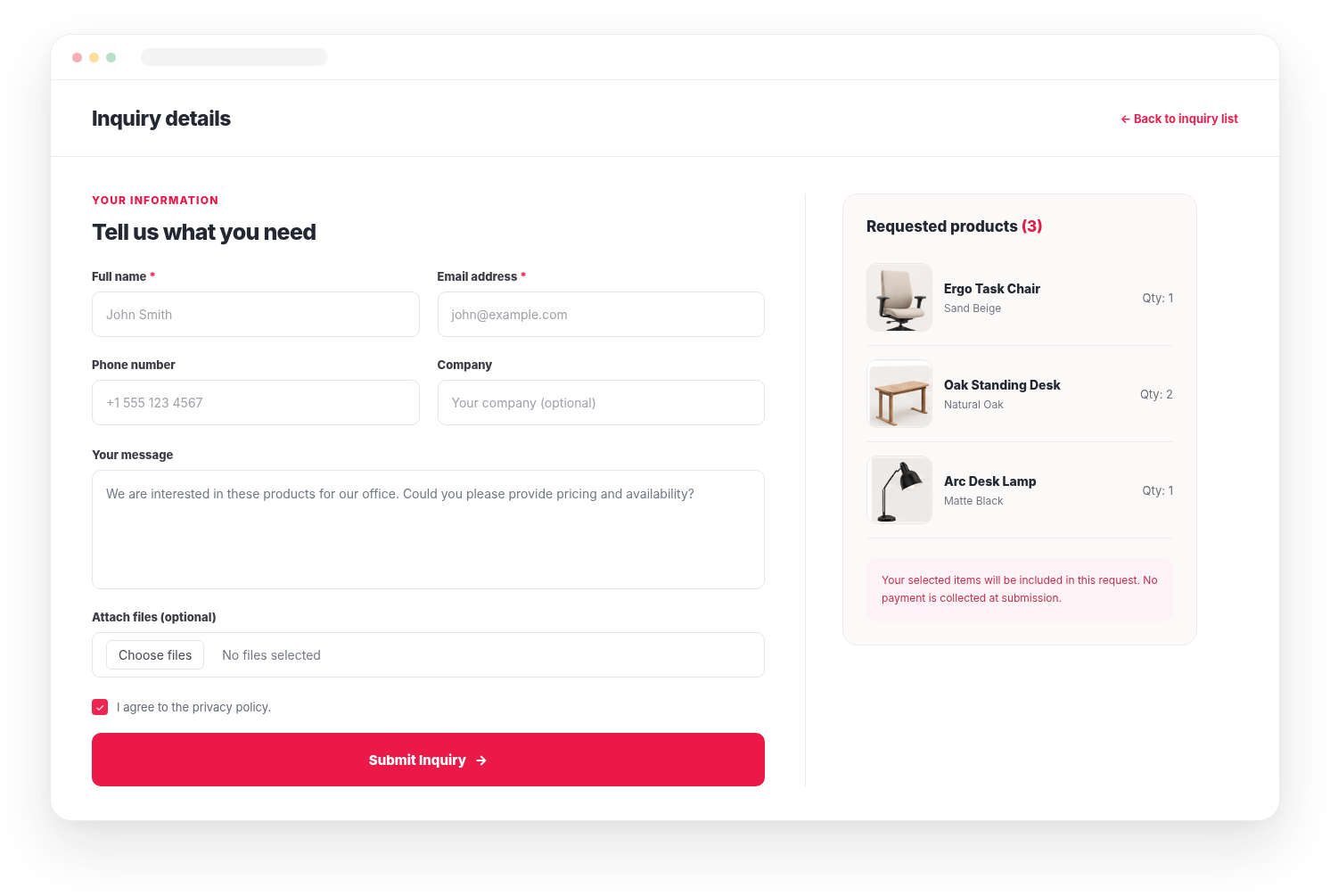
Let customers add products to an inquiry list while preserving the product details they selected.
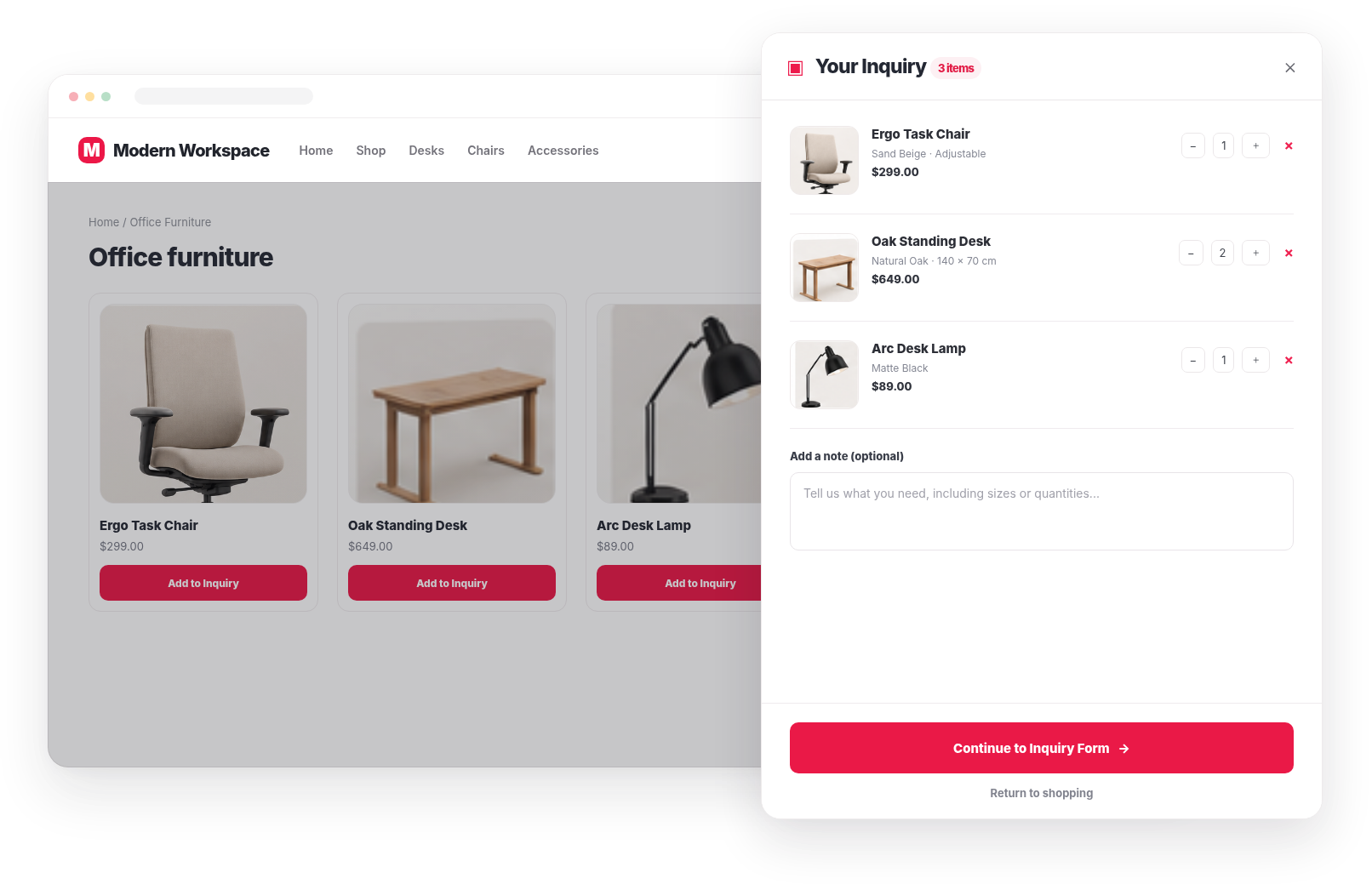
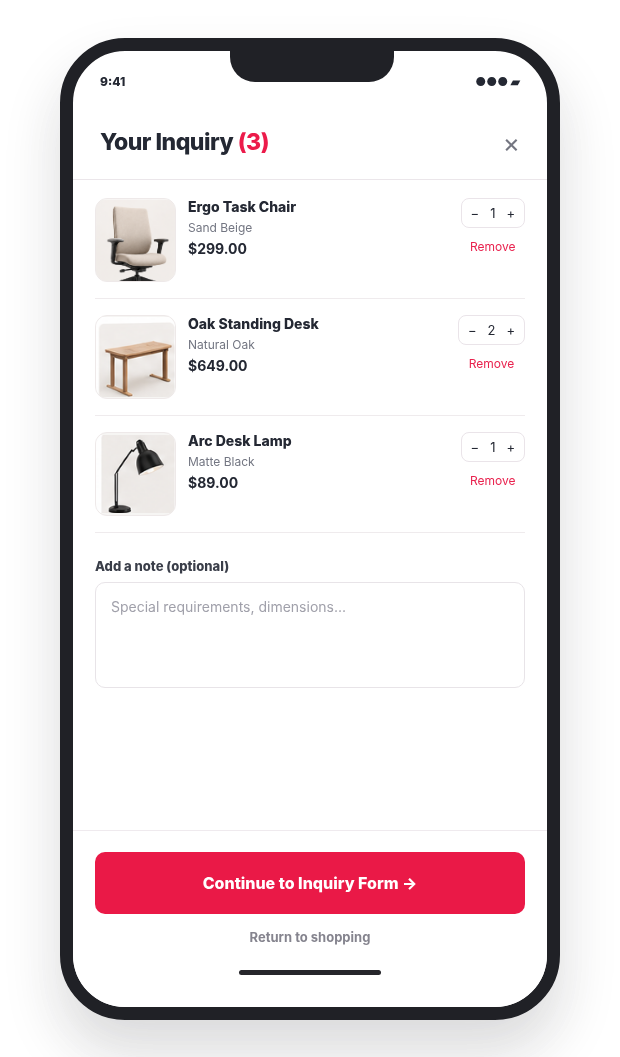
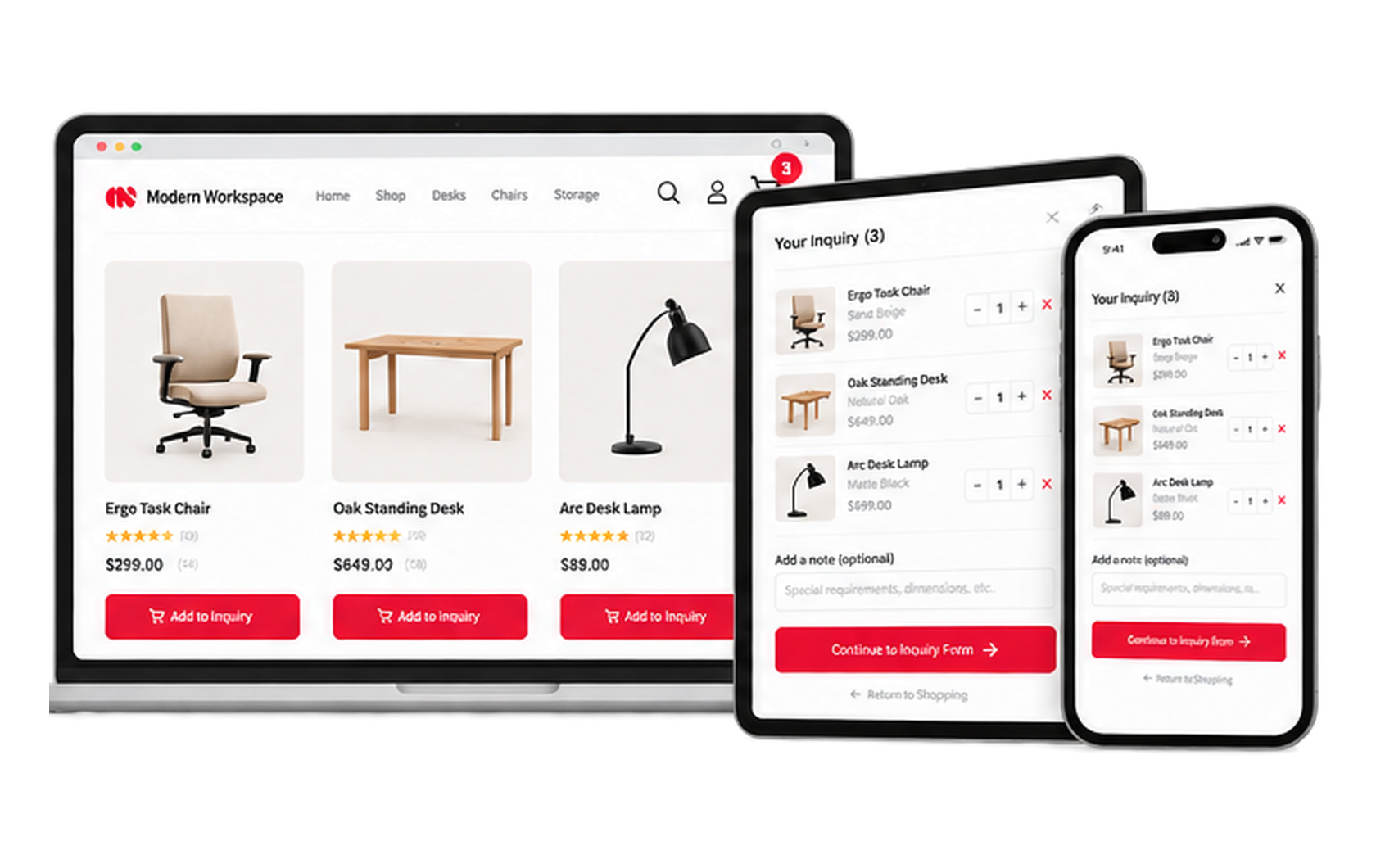
Mobile experience
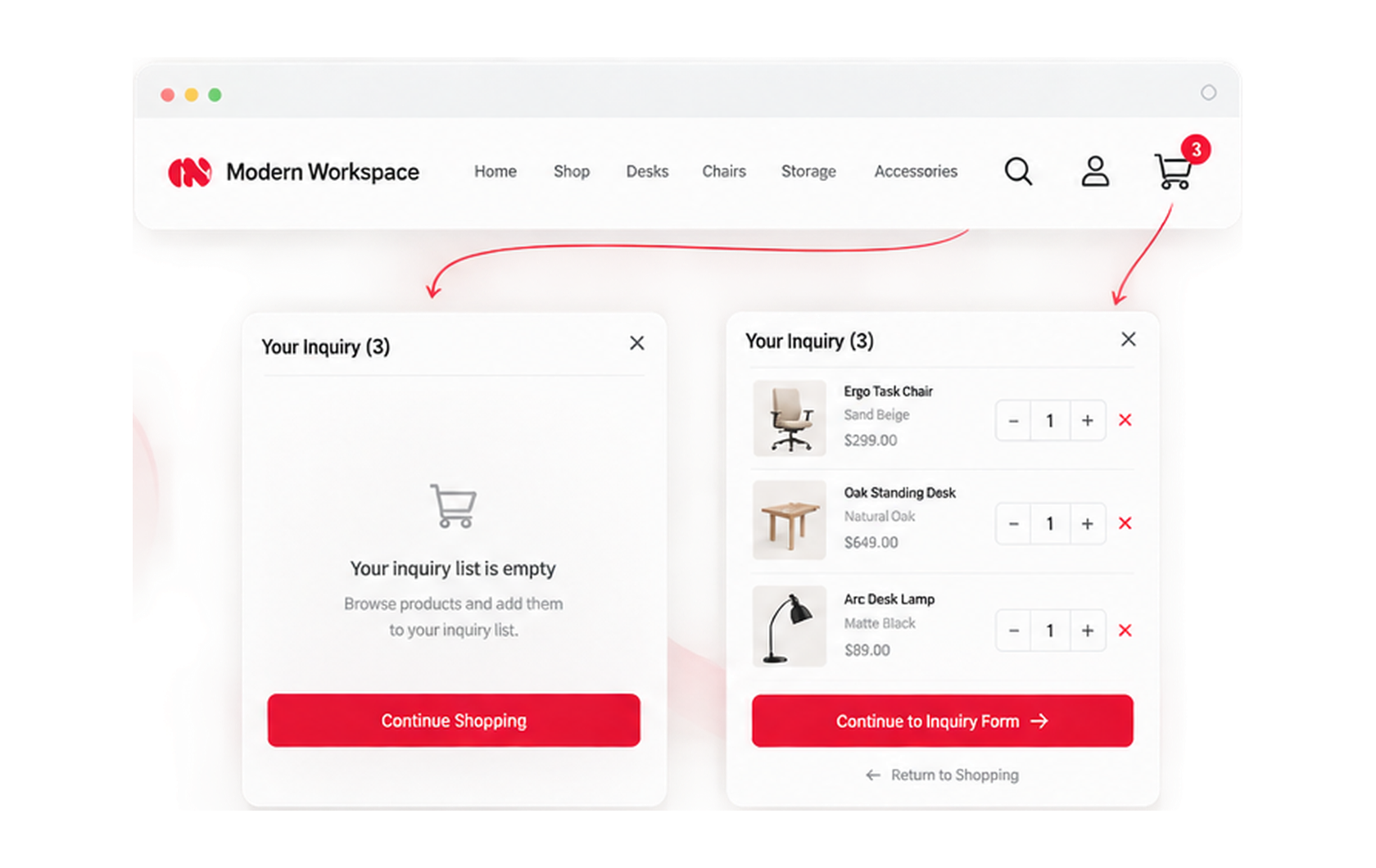
Give mobile shoppers a clear way to review their selected products and continue to the inquiry form.
Form builder
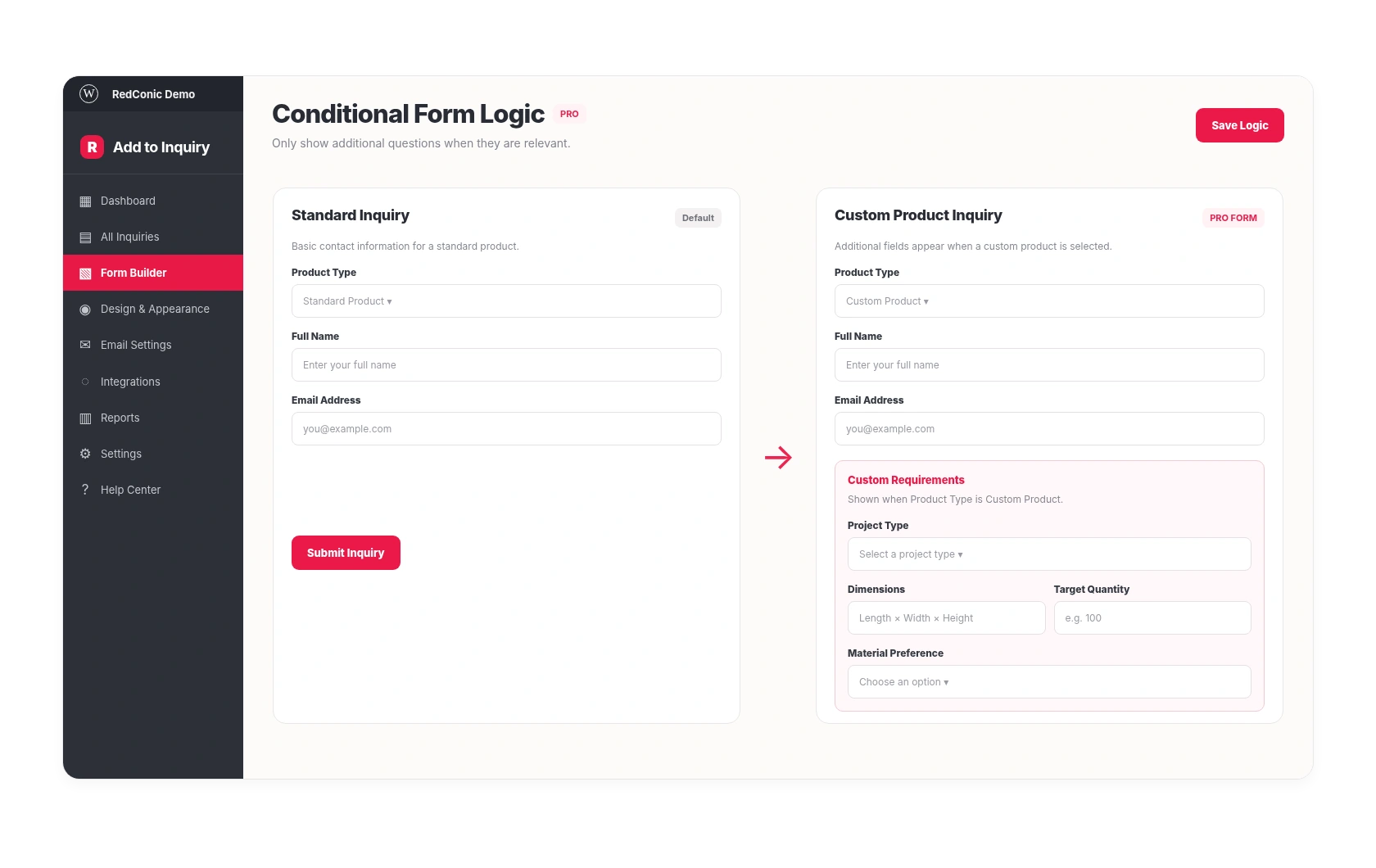
Customize the inquiry form to collect contact details, project requirements and product information that help your team prepare a useful response.
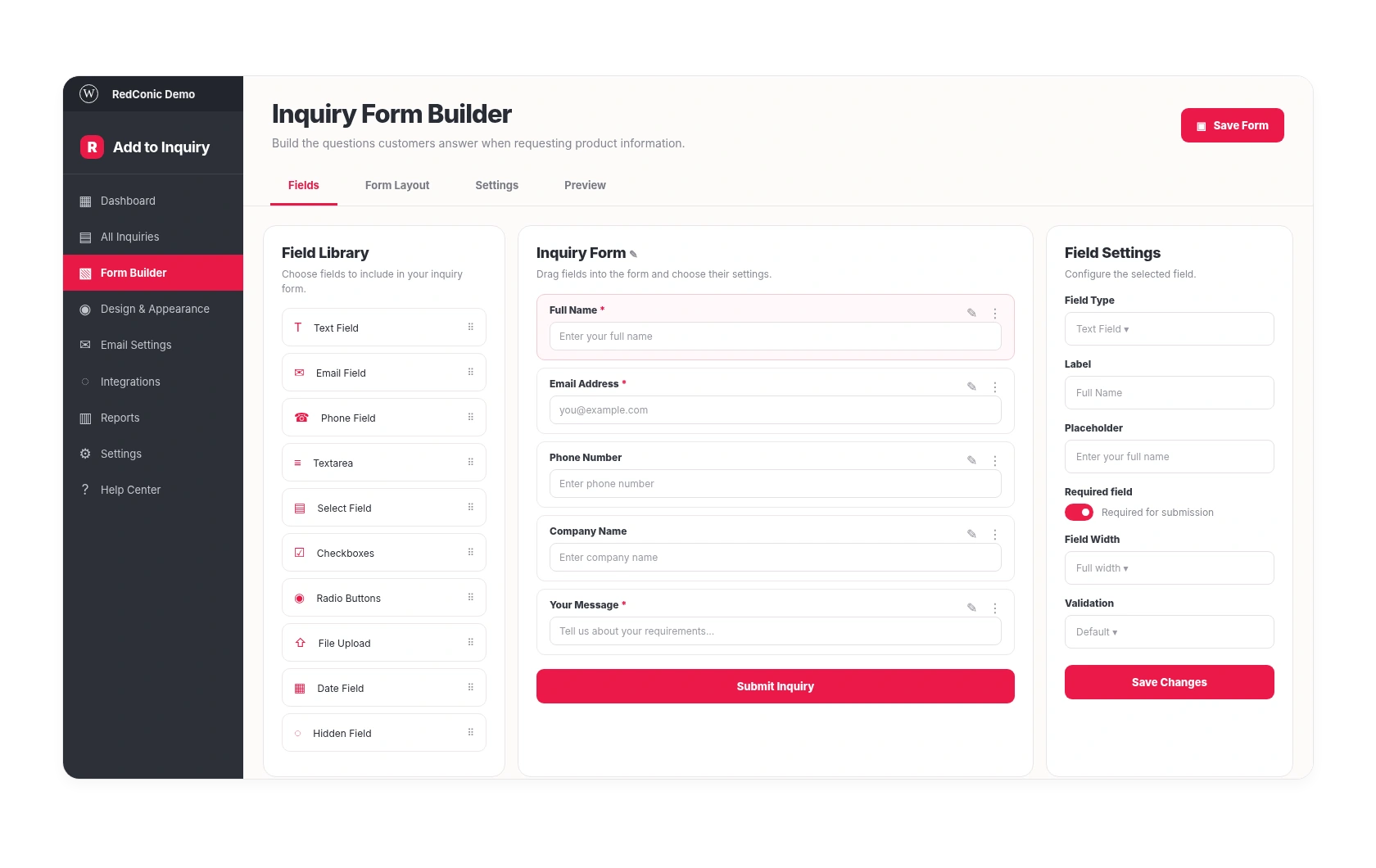
Configure supported field types, labels, placeholders and required settings.
Keep the customer's requested products connected to the submitted inquiry.
Customize the success experience after submission.
Show or hide supported fields according to the Pro form configuration.
Inquiry management
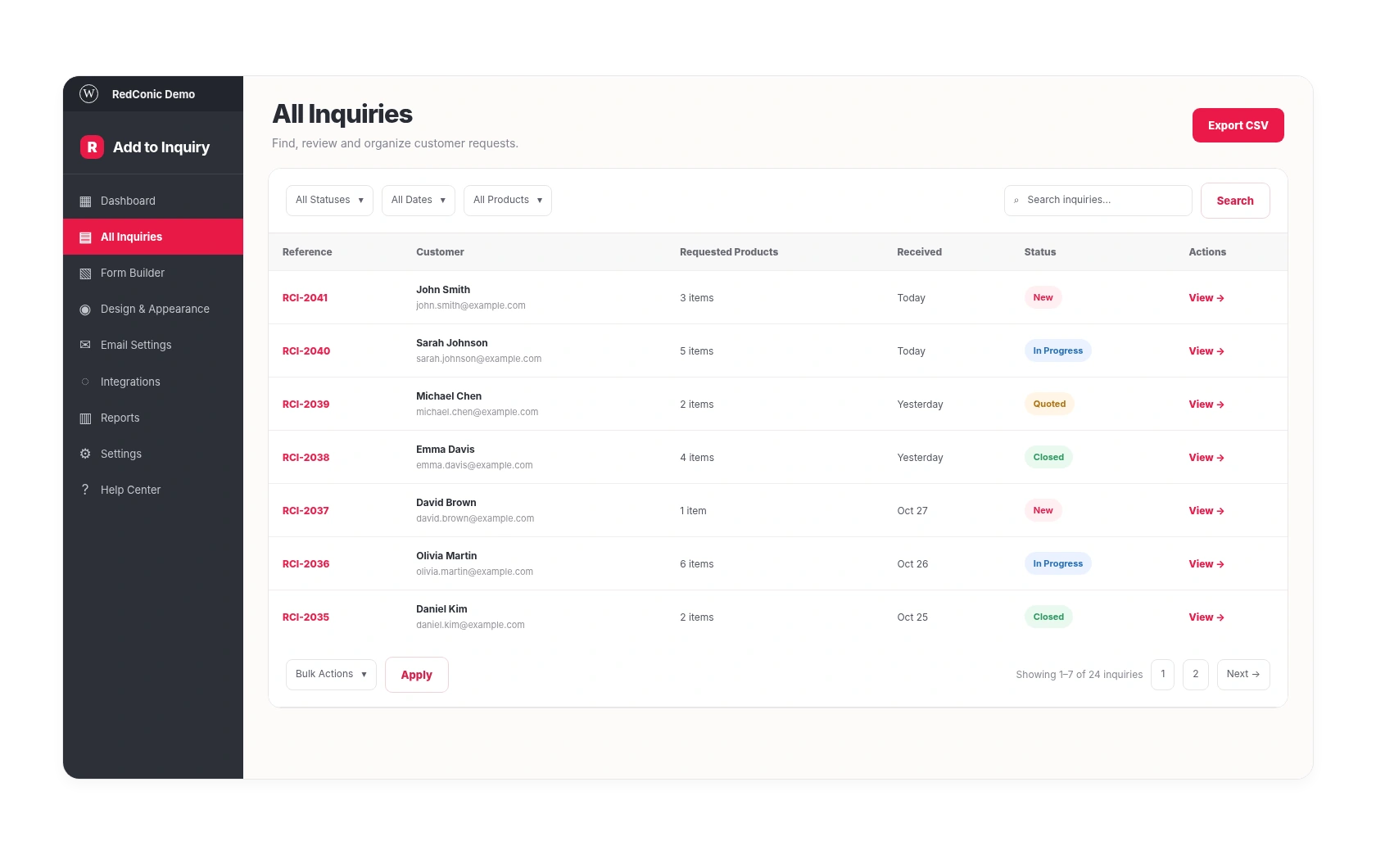
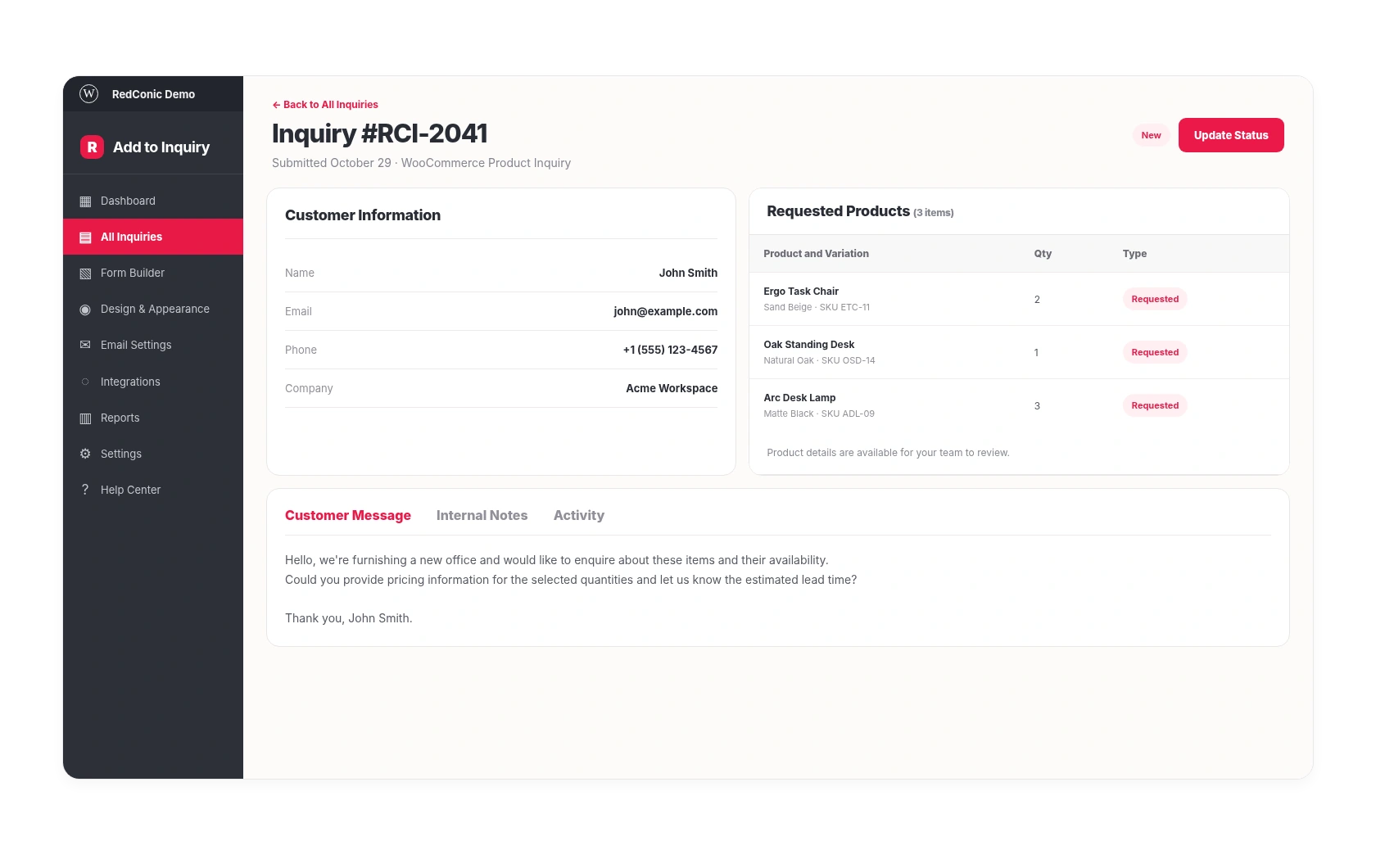
Keep customer requests, selected products, statuses and communication details inside WordPress.
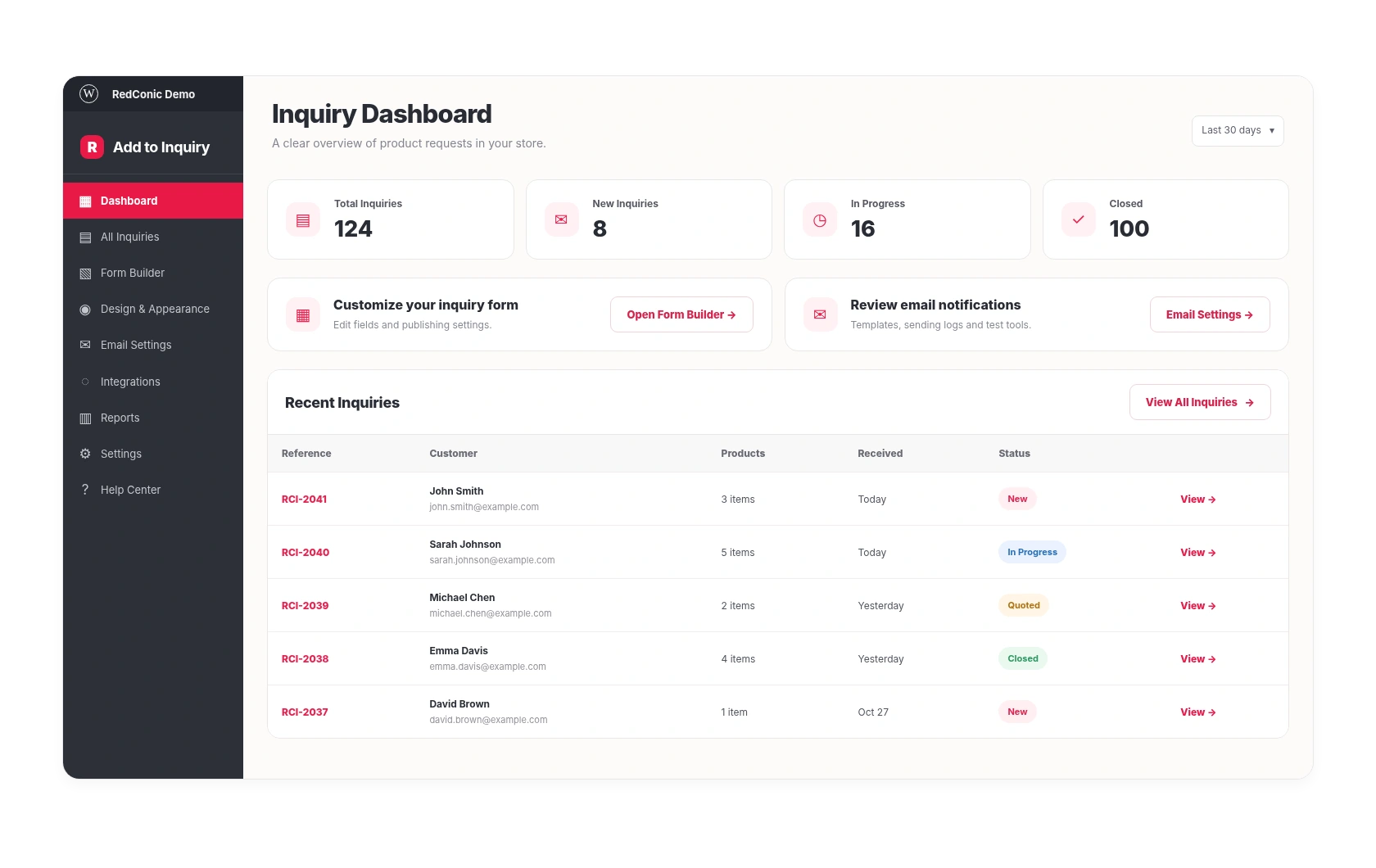
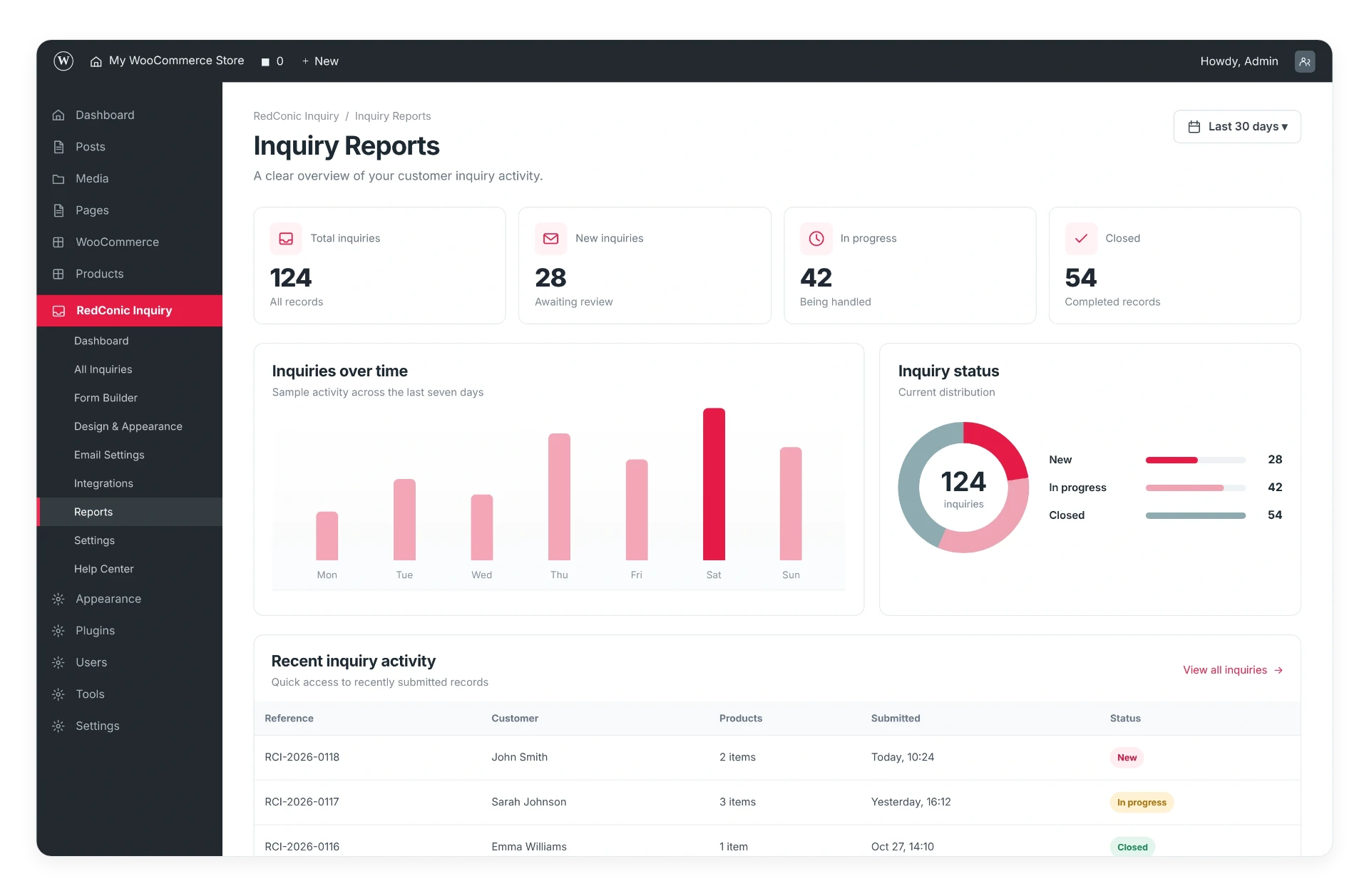
See new requests and access customer details.
Use the supported search and filtering controls.
Update statuses as requests move through the follow-up process.
Use available inquiry reports and export features.
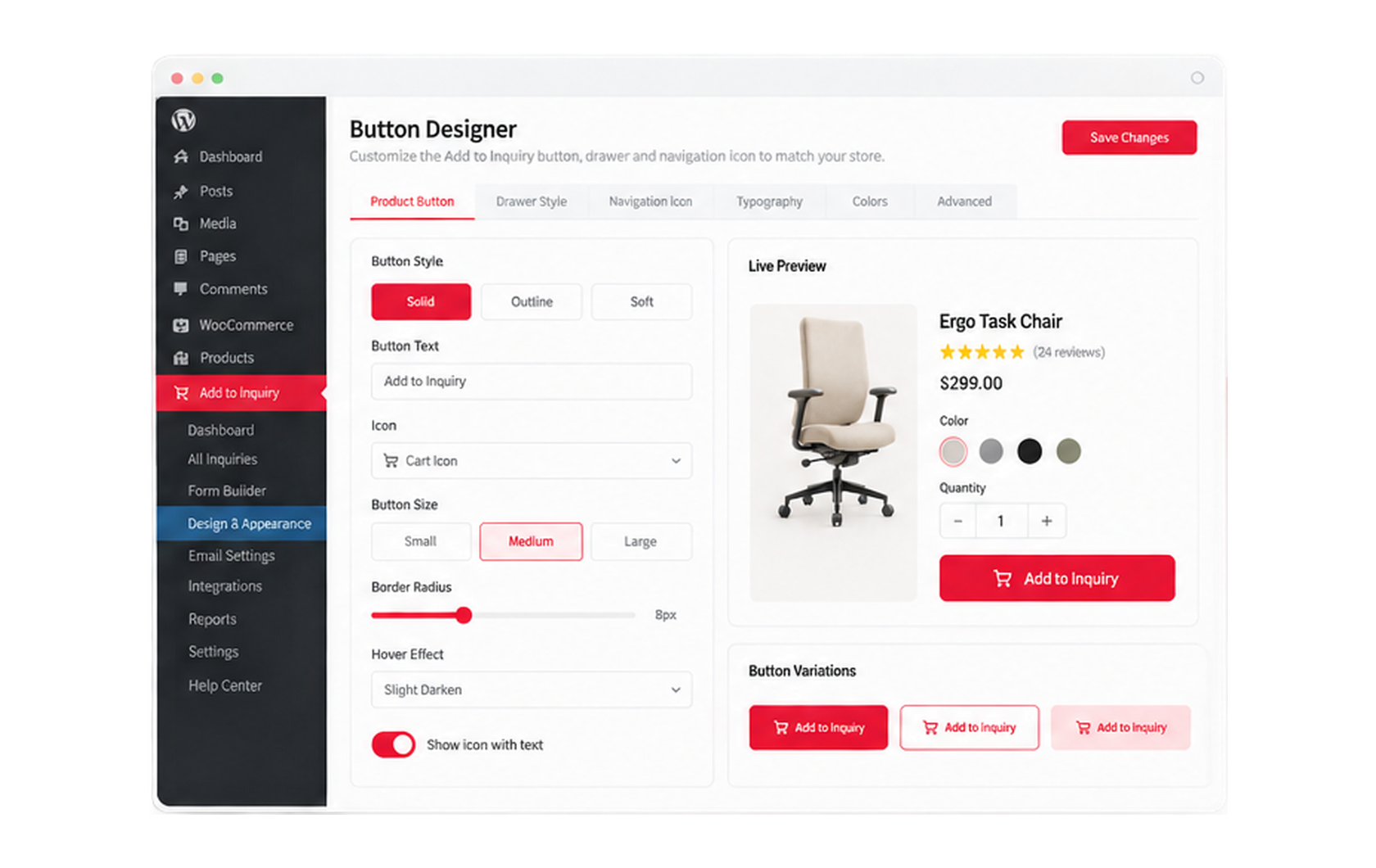
Button and appearance designer
Customize the inquiry buttons, navigation icon, drawer appearance and related design controls without sacrificing your existing WooCommerce branding.
Your store should keep its visual identity, even when customers use a different purchasing journey. A navigation inquiry icon with an item count keeps the list one tap away.
Email notifications
Create branded notification messages, review email attempts and troubleshoot failed sending from WordPress.
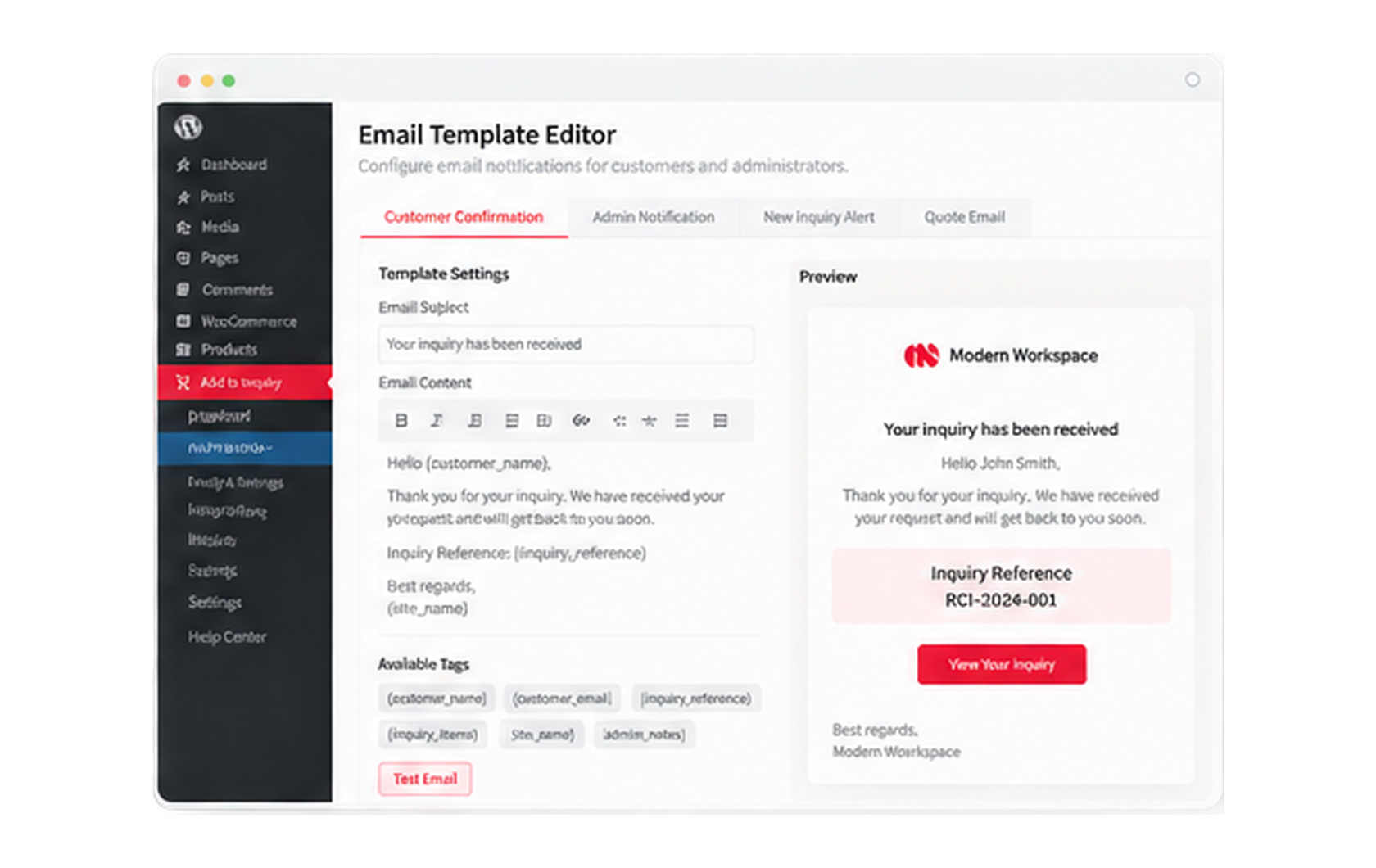
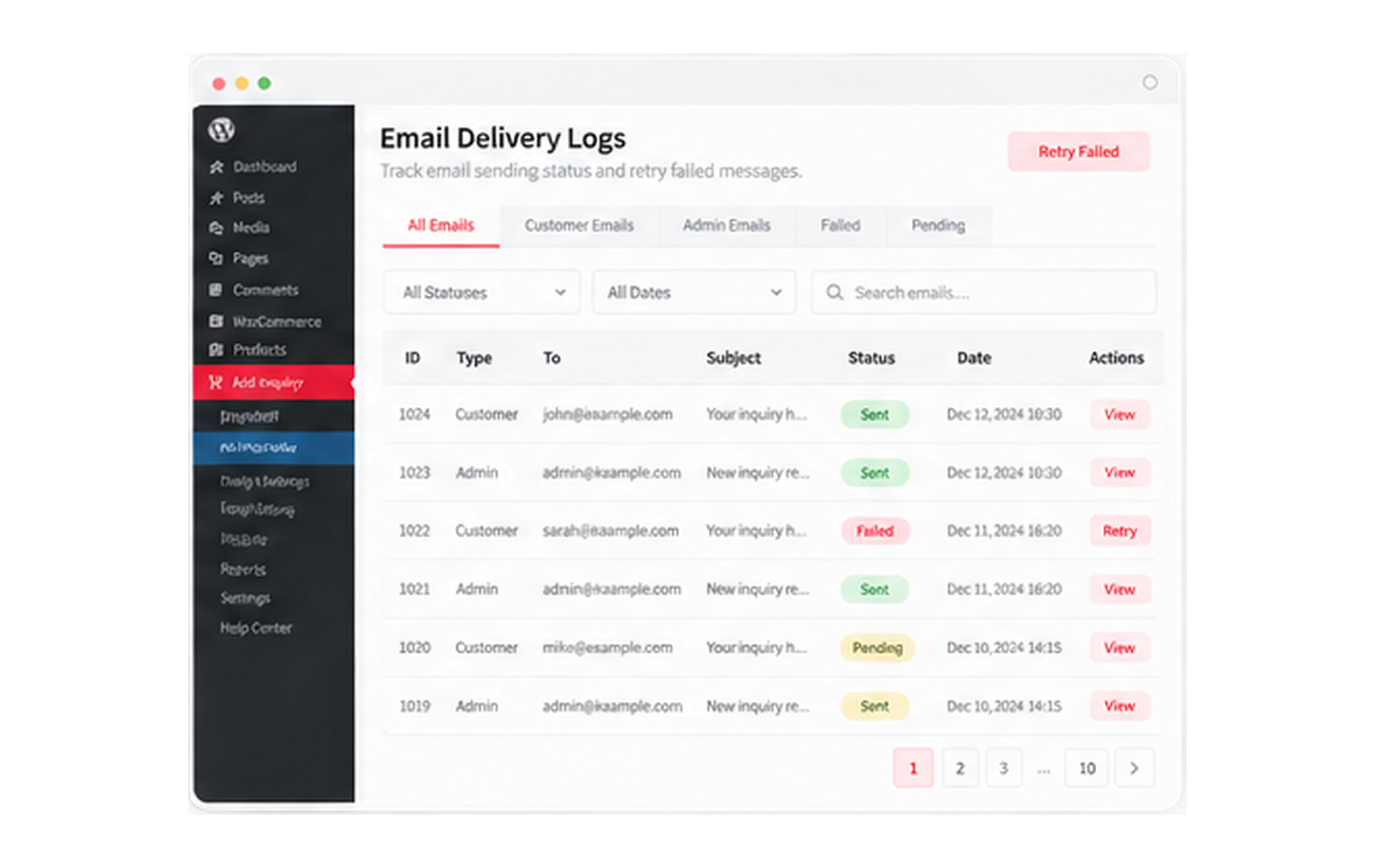
An email accepted by WordPress or an SMTP server is not proof that it reached the recipient's inbox. No delivery-rate or open-tracking statistics are shown or claimed.
RedConic Add to Inquiry Pro
Prepare priced offers, review quotation details and share professional documents with customers through the supported Pro workflow.
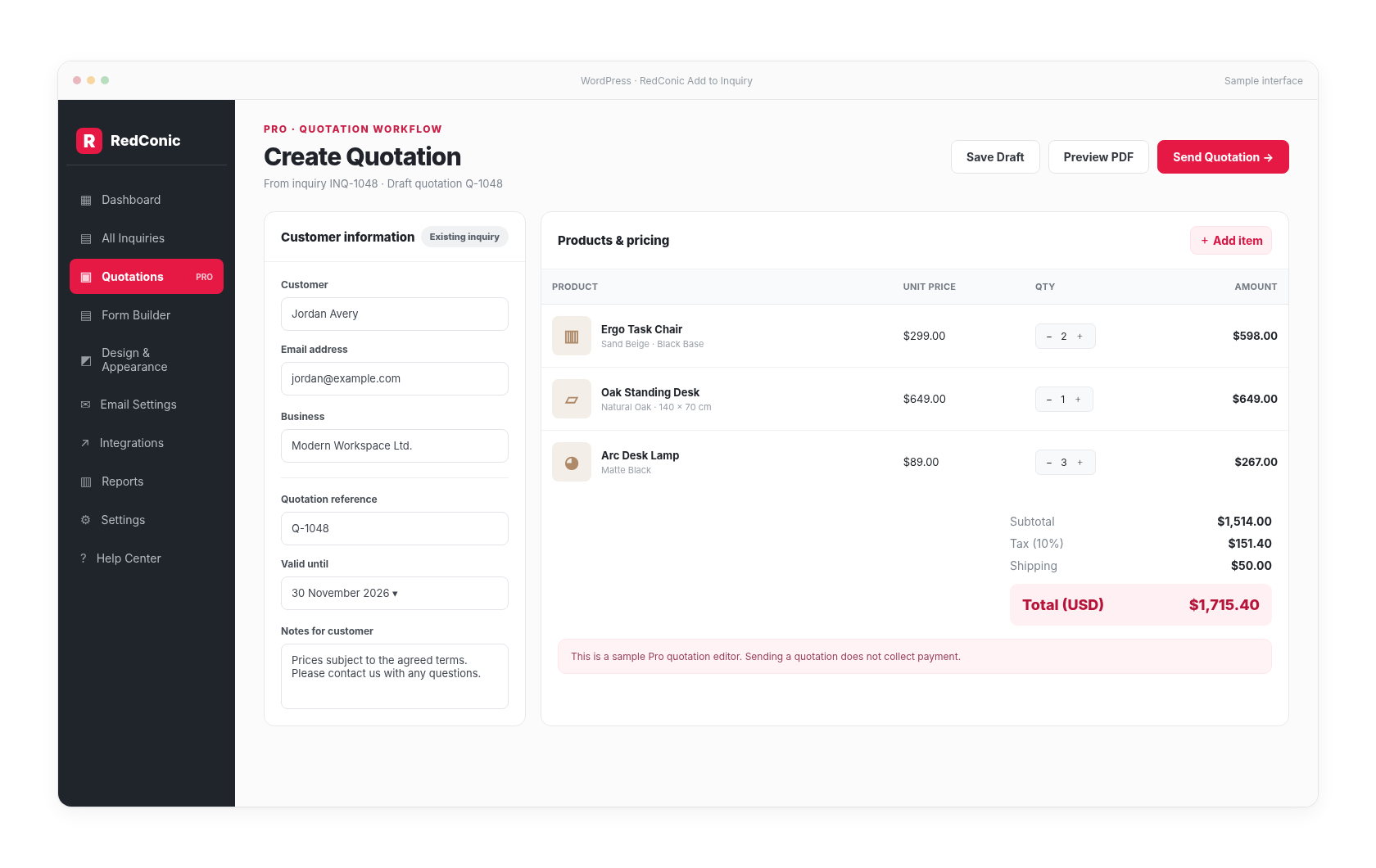
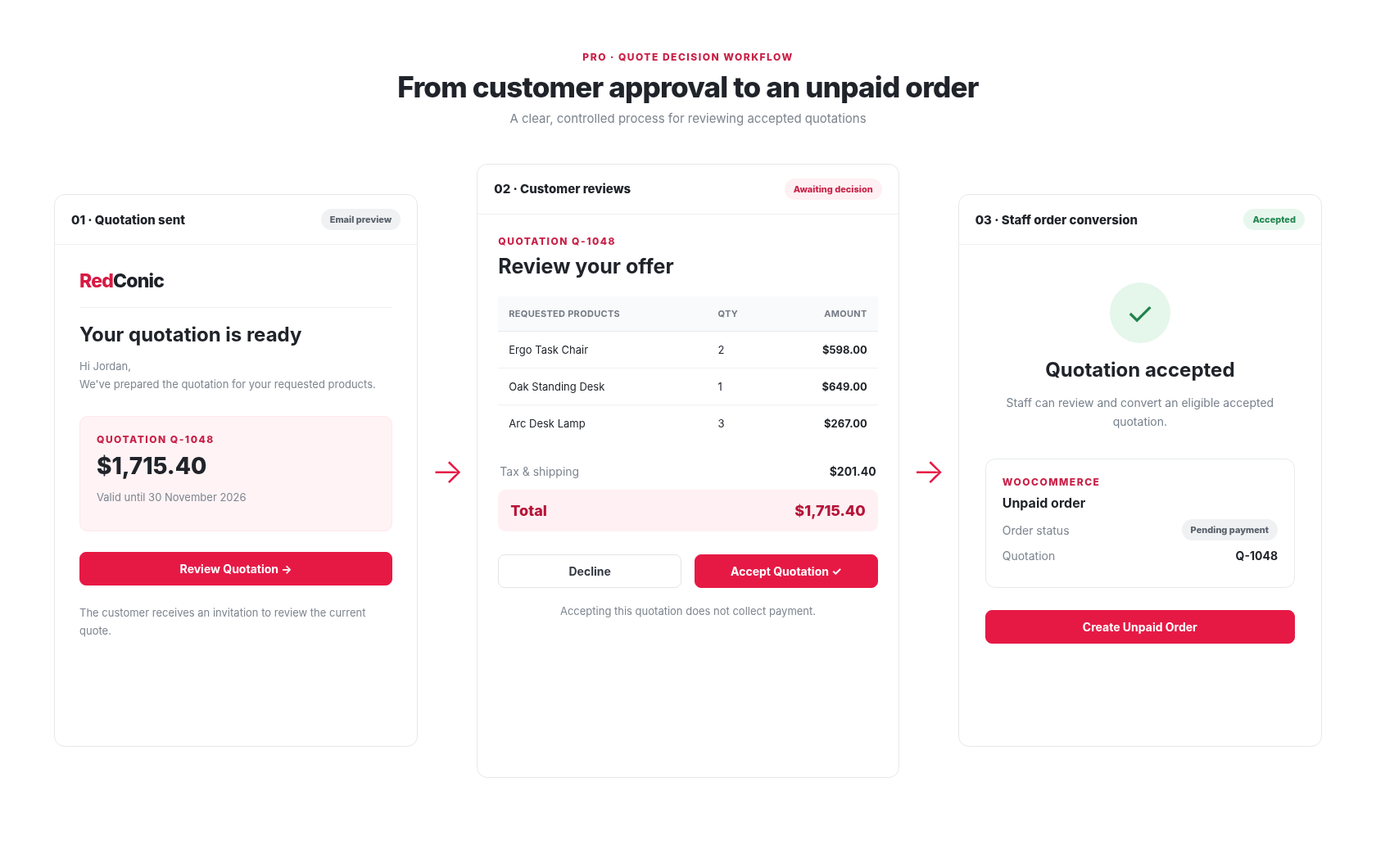
Build detailed quotations
Prepare product-based offers with supported quantities, prices, taxes and terms.
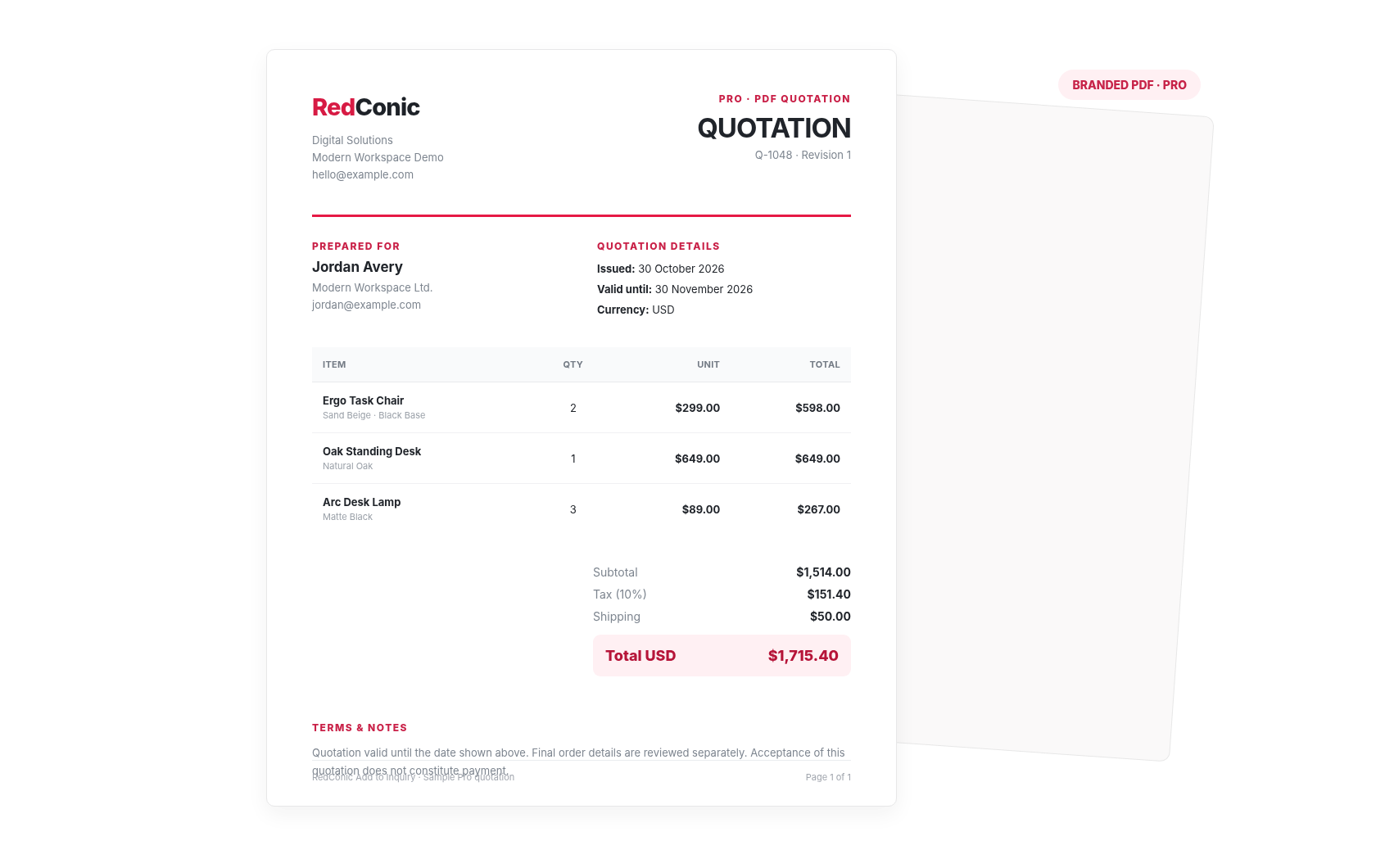
Create PDF quotations
Produce branded quotation documents.
Manage quotation revisions
Keep reviewed revisions and their applicable details.
Customer quotation review
Allow customers to review and respond using supported secure links.
WooCommerce order conversion
Convert eligible accepted quotations into unpaid WooCommerce orders.
Accepting a quotation does not automatically collect payment. Conversion to an order is a controlled staff action, subject to eligibility checks.
Advanced Pro tools help businesses manage price presentation, recipient routing and follow-up workflows.
Control supported price display behavior for selected products, categories or customer scenarios.
Send inquiry notifications to appropriate configured recipients based on product or category rules.
Use the supported Pro customer follow-up updates and staff SLA alerts to keep pending inquiries from being forgotten.
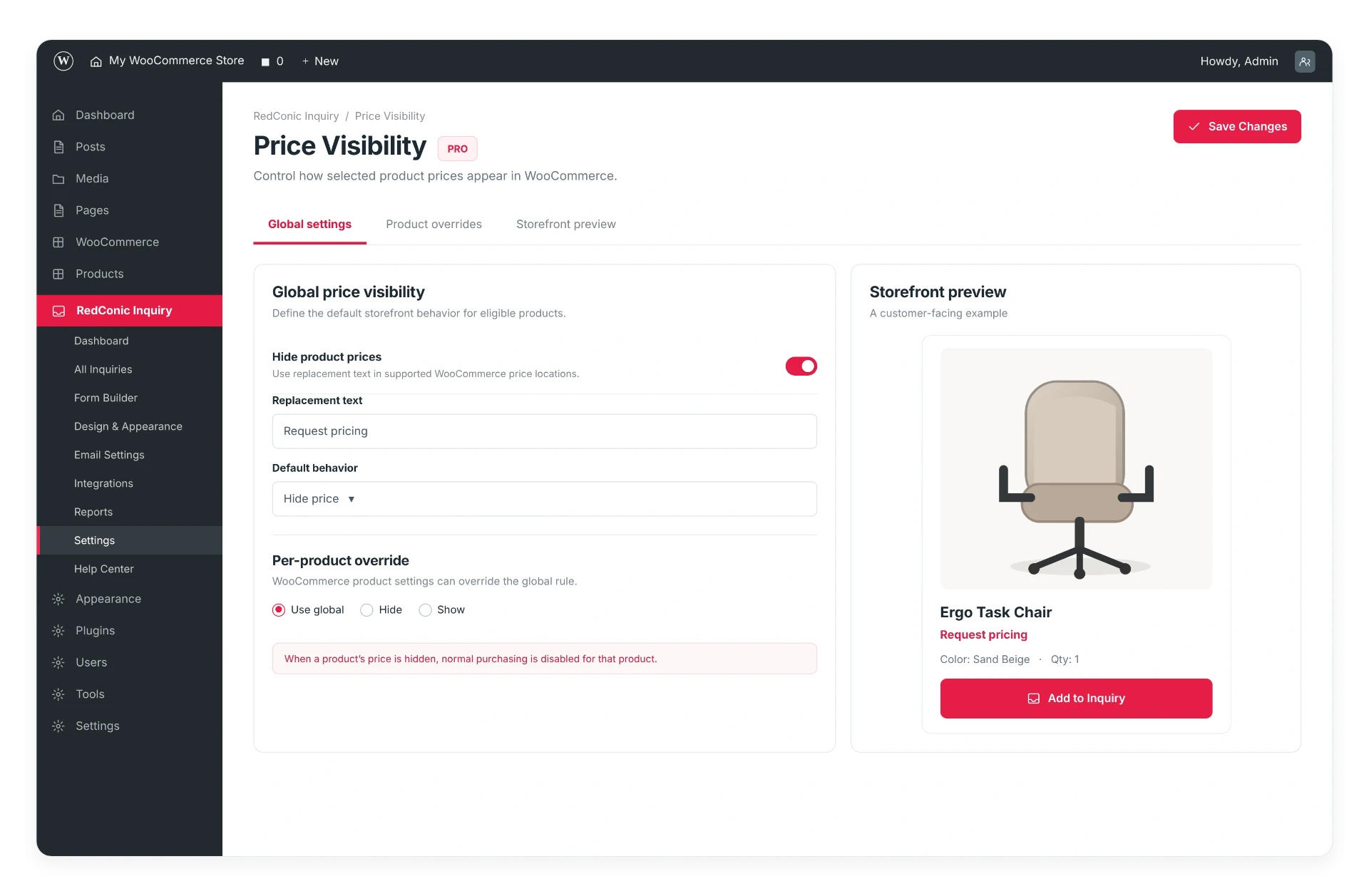
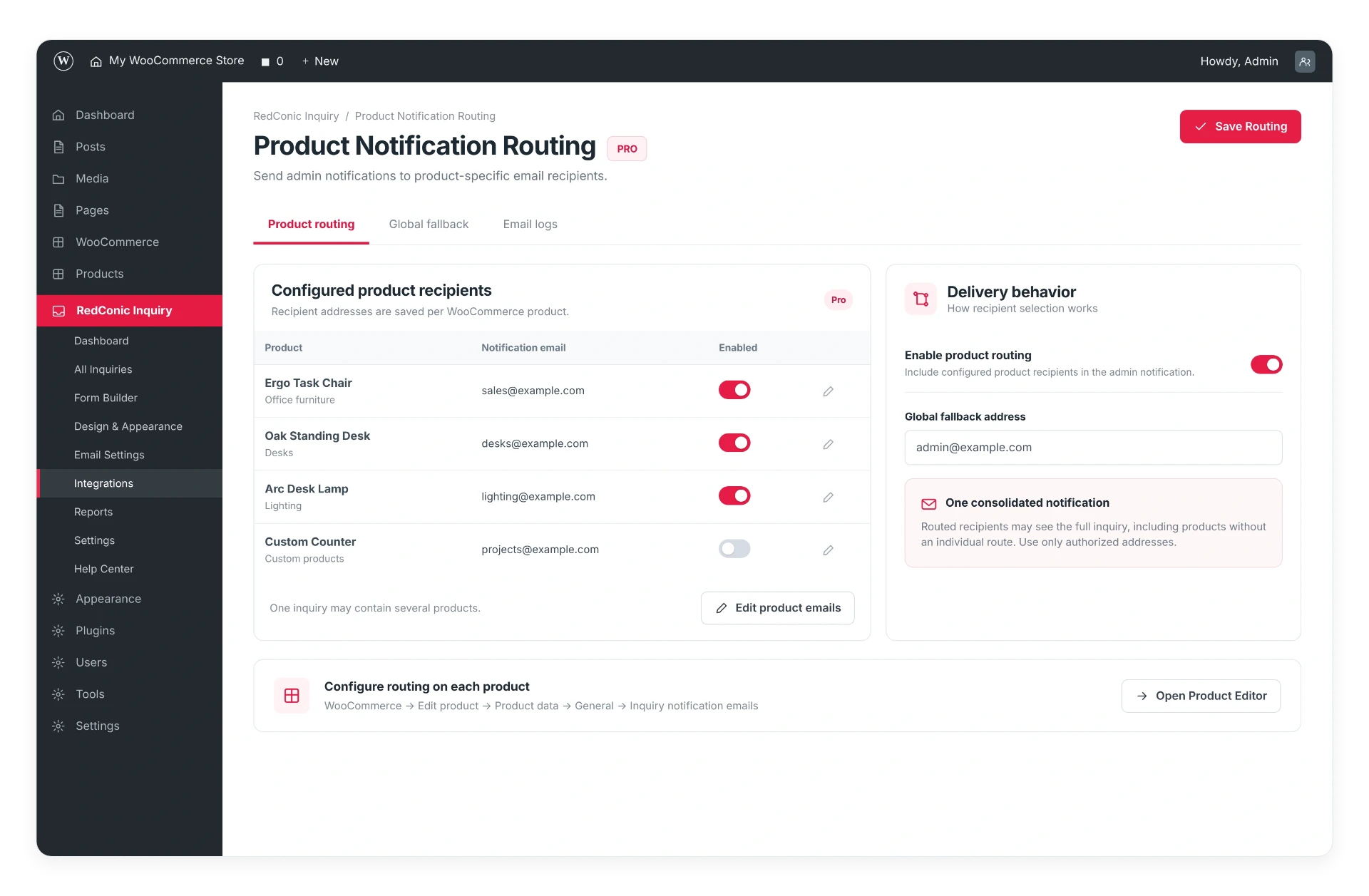
These are workflow aids for your team. There is no automated CRM or AI response engine.
WordPress builder integrations
Use the plugin's built-in placement options, shortcodes and documented native Divi Button integration to introduce inquiry actions within supported product layouts.
Use a native Button linked to the current product permalink with the rdci-inquiry-link CSS class, or place the inquiry shortcode in a supported module.
Shortcode support does not guarantee every proprietary product template or builder version has been tested. Verify your configuration on staging. No dedicated module is claimed for every builder.
The plugin can work with a normal Divi Button that links to the current product's permalink and carries the integration CSS class. There is no dedicated custom Divi module in the current setup.
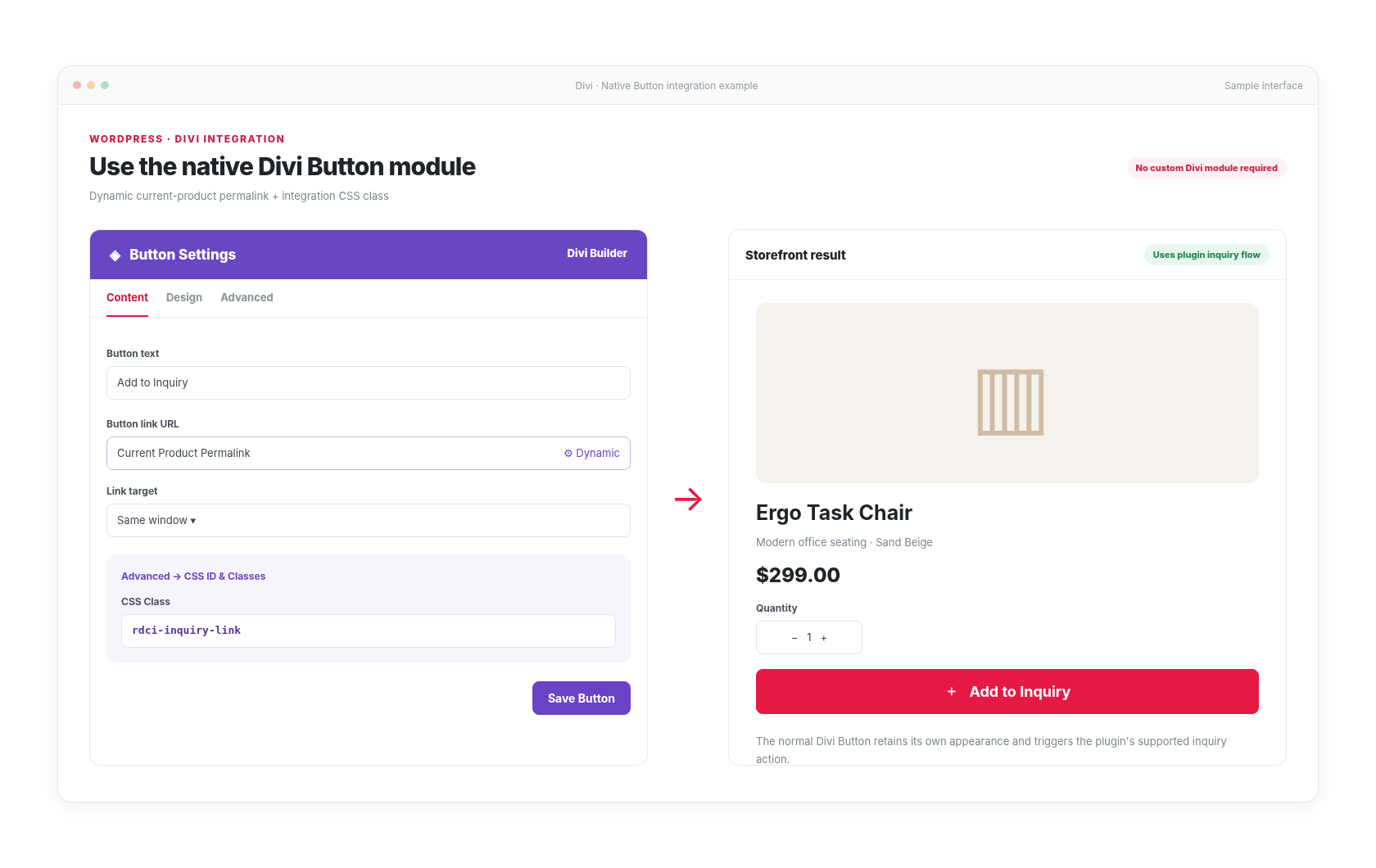
Native Divi Buttons keep their Divi styling.
Place inquiry elements wherever your theme or builder renders WordPress shortcodes.
[redconic_inquiry_button]Inquiry button[redconic_inquiry_cart]Inquiry list / cart[redconic_inquiry_form]Inquiry formrdci-inquiry-linkDivi Button CSS classWordPress
Core requirement
WooCommerce
Core requirement
Privacy and control
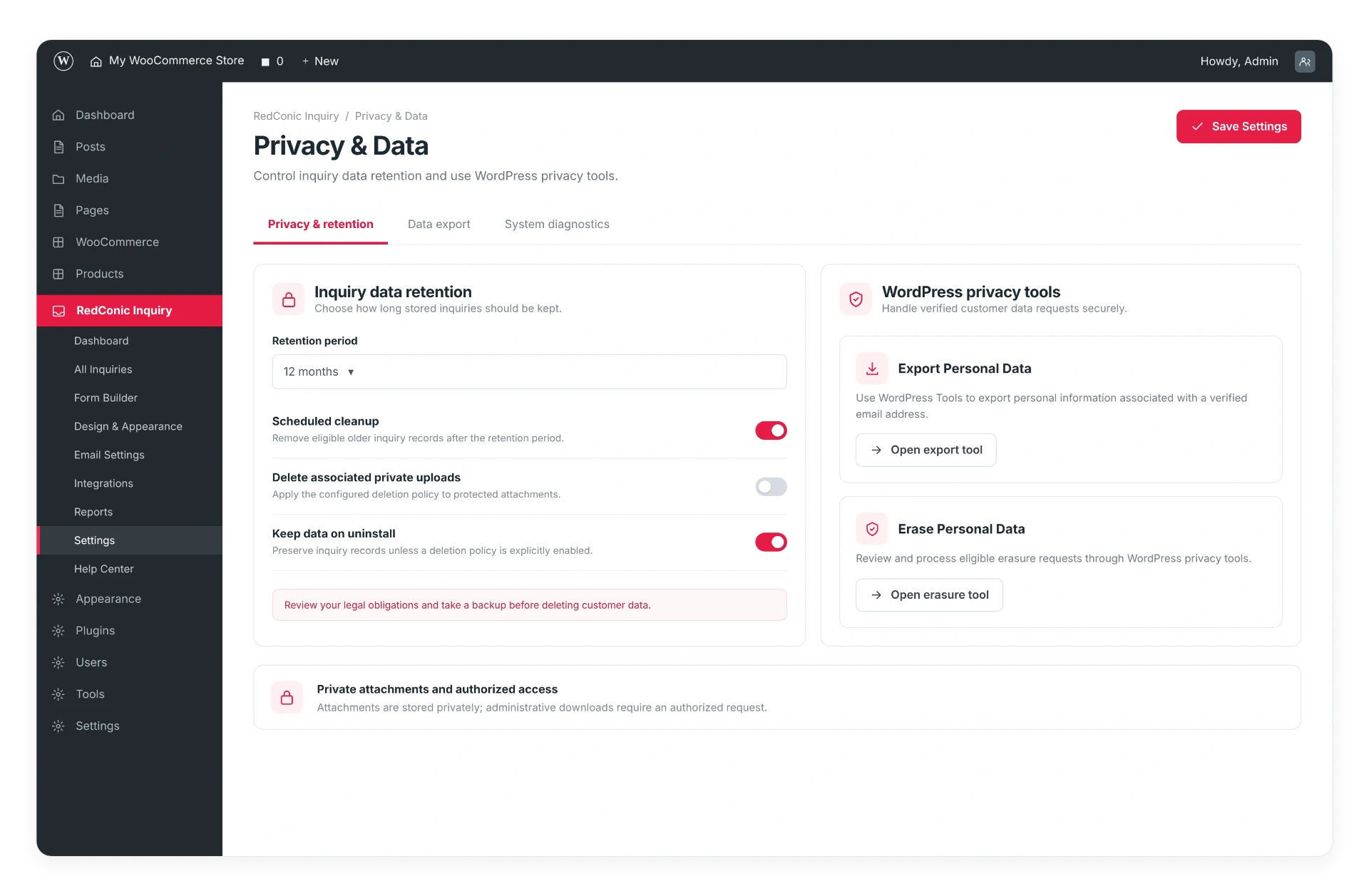
Product inquiries contain customer information. Give store owners understandable controls for managing data, permissions and communication.
No legal compliance certification or absolute security guarantee is claimed.
Data ownership
Inquiry information is handled within the WordPress installation according to the plugin's documented storage behavior.
Privacy tools
Provide information about the supported export, erasure and retention settings.
Protected actions
Explain role-based access and server-side validation at a practical level.
Email visibility
Help administrators investigate email delivery problems using the available logs.
Installation and setup
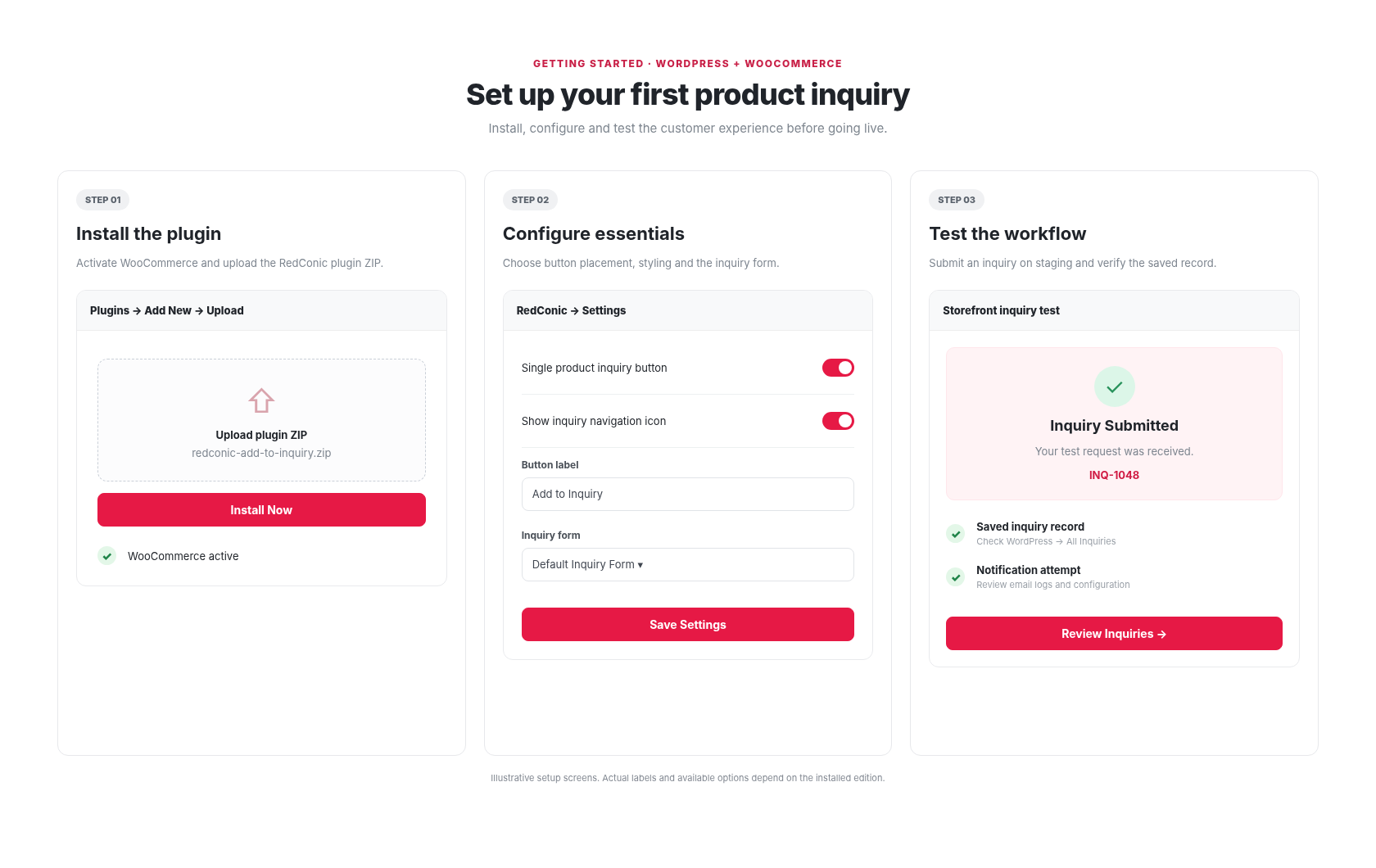
A clear setup process helps store owners configure the plugin and verify the customer experience before using it on a live store.
Install WooCommerce.
Install and activate RedConic Add to Inquiry.
Configure inquiry buttons.
Customize the inquiry form.
Review email settings.
Submit a test inquiry.
Requirements
Test your configuration on a staging site with your own theme, builder and WordPress version before using it on a live store.
Documentation and support
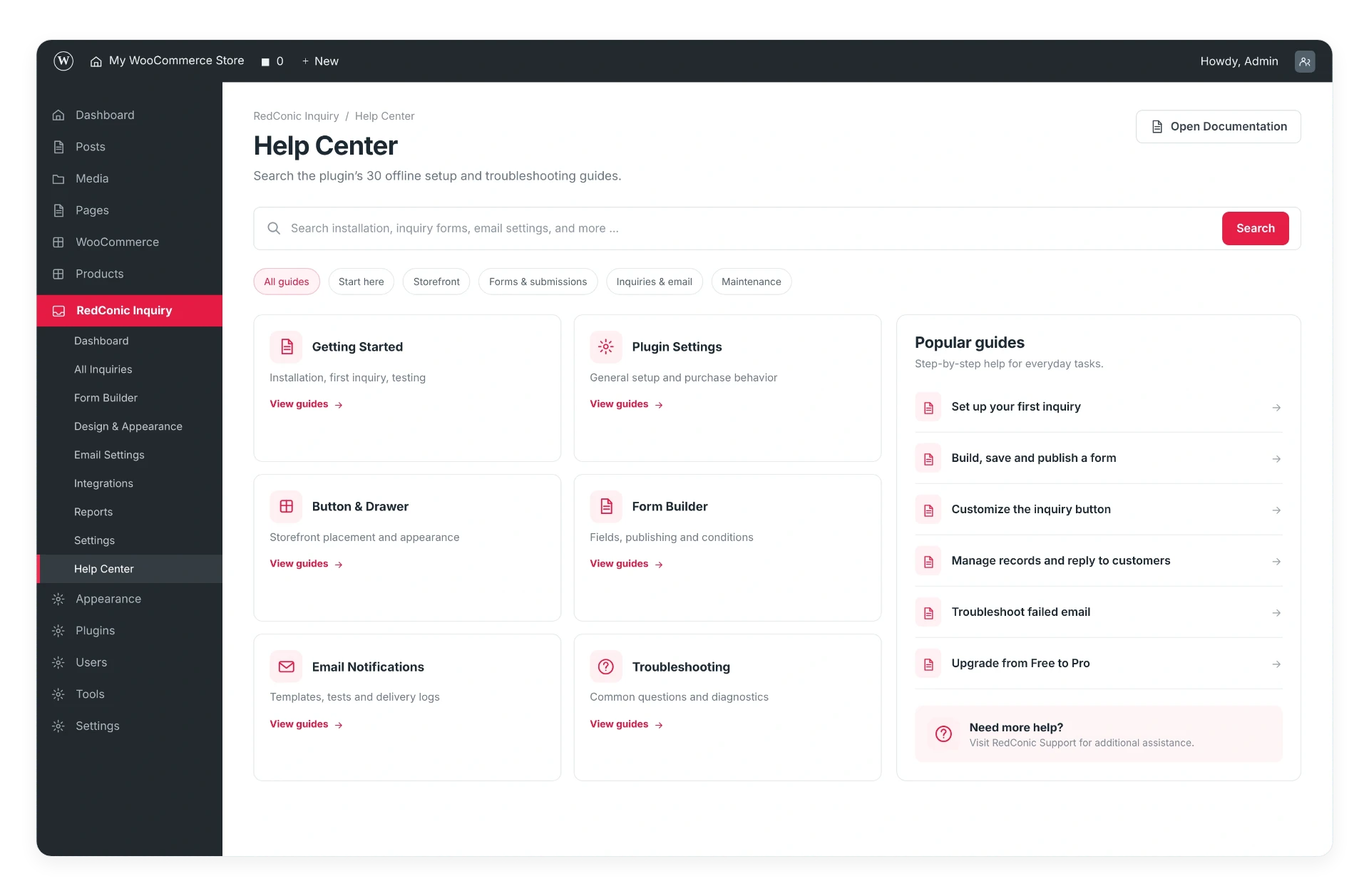
Find setup instructions, configuration guidance and troubleshooting information without searching through disconnected resources.
Getting Started
Installation and initial configuration.
User Guides
Buttons, inquiry forms, email settings and management.
Troubleshooting
Common problems, email checks and supported diagnostics.
Use cases

Let customers inquire about product quantities, finishes and custom requirements.

Collect multi-product requests before preparing a quotation.
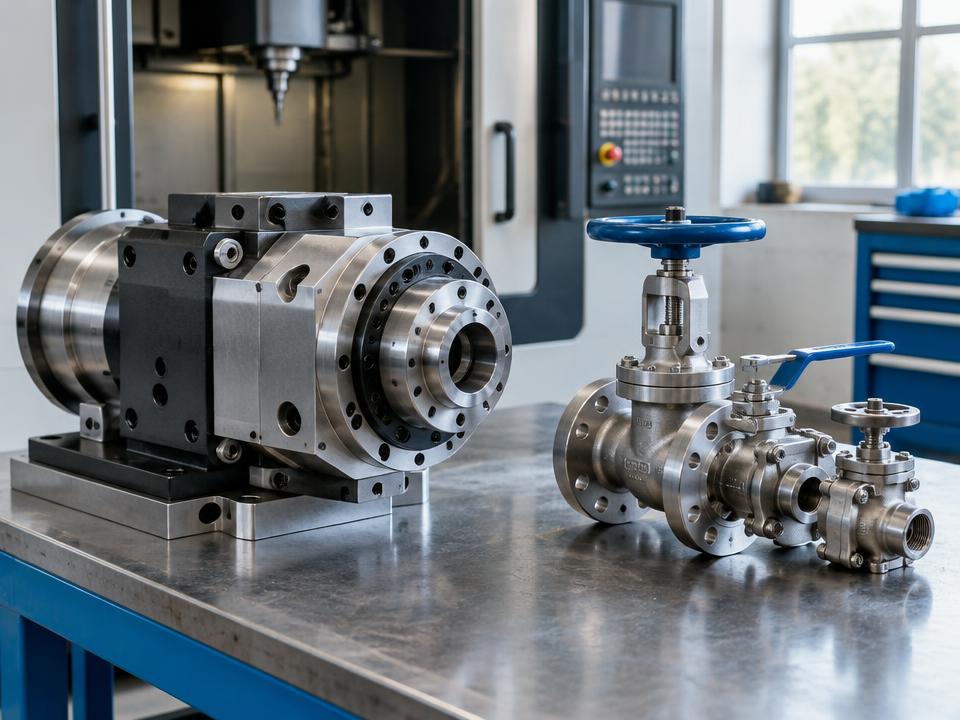
Allow customers to ask about specialist equipment and technical specifications.

Collect project information before discussing price or production requirements.
Simple, flexible licensing
Start with a license for a few websites, scale to more stores, or choose a one-time lifetime license.
Checkout opens at the commercial release. Join the launch list and we'll email you when these plans can be purchased.
Everything you need to manage WooCommerce quote requests professionally.
Launch price
1 production website
More flexibility for growing stores and professionals managing multiple websites.
Launch price
5 production websites
Pay once. Keep using RedConic Quote Manager Pro without annual license renewals.
Launch price
5 production websites
One license for unlimited WooCommerce projects managed by your agency.
Launch price
Unlimited eligible managed websites
Agency usage is subject to the published agency license terms.
Free vs Pro
Choose the edition that matches your store's workflow, from essential product inquiries to advanced quotation management.
Focused product inquiry collection and management.
In development · Pricing will be published once the commercial release is confirmed.
Advanced commercial, quotation and workflow capabilities.
In development · Pricing will be published once the commercial release is confirmed.
How Free and Pro are packaged
FAQs
Find answers about getting started, compatible layouts and choosing a license.
Read the documentationRedConic Add to Inquiry Pro
Give WooCommerce customers a simpler way to ask about products, and give your team a more organized way to manage every request.
RedConic Quote Manager Pro starts at $39/year
Launch price · 1 website · $59/year renewal if authorized