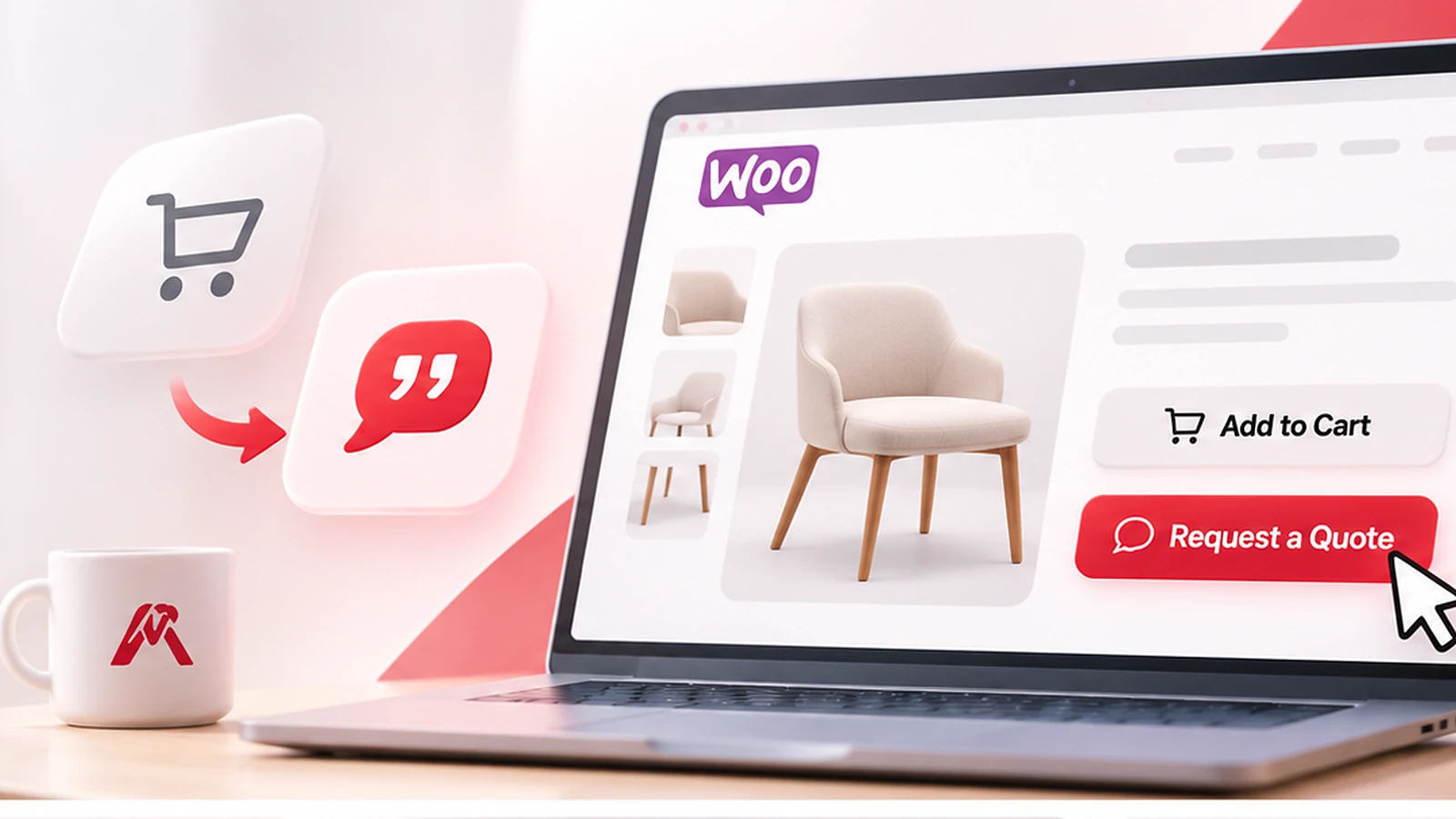

An actionable guide to choosing the right pricing method, collecting customer requirements, preparing accurate quotations, and turning complex orders into a manageable sales process.
Selling a $35 desk lamp is straightforward: show a price, let the buyer add it to the cart, and take payment. Selling 40 custom desks for a new office is different. The buyer may need specific dimensions, materials, delivery arrangements, and an approved quotation before they can purchase.
A single fixed price can be misleading in that situation. But hiding every price and telling customers to “contact us” can be frustrating, too.
Quick answer: To sell custom products and bulk orders in WooCommerce, use normal or variable-product pricing when options have predictable prices, product add-ons when customization costs can be calculated, and a Request a Quote workflow when quantities, specifications, delivery, or project costs require manual review. Keep each request connected to the relevant products and follow up with a clear written quotation.
This guide helps you choose between those methods. It also shows where RedConic Quote Manager Pro can simplify product inquiries without replacing WooCommerce's regular buying experience.
First, Decide Whether You Really Need Custom Quotations
Not every customizable product needs manual pricing. Some stores make quoting unnecessarily complicated because they haven't separated predictable options from unpredictable work.
Use this practical decision table:
| Selling situation | Recommended approach | Example |
|---|---|---|
| One product, one known price | Standard WooCommerce product | Ready-made desk lamp |
| A few options, each with a known price | WooCommerce variable product | Chair in three fabrics, each with a fixed price |
| Optional extras with predictable charges | Product add-ons or a product configurator | Personalized name engraving for a set fee |
| Quantity-dependent pricing that follows a consistent formula | Carefully configured quantity or tiered-pricing solution | Standard packaging cartons sold in set quantity bands |
| Specifications, freight, labor, or supply costs must be reviewed | Product inquiry and manual quotation | Custom 12-foot conference table or equipment installation |
A simple rule: If you can give the buyer an accurate final price before speaking with them, normal checkout may be best. If you cannot, provide a clear quotation path.
WooCommerce's official variable product documentation explains how variations can have their own prices and stock settings. Its Product Add-Ons documentation describes fields and quantity-related charges for optional customizations. These are useful tools, but not every complex request can be reduced to a reliable formula.
Don't use a fake $0 price as a shortcut
Entering zero just to make a product purchasable can imply that the item is free. Hiding the price using CSS while leaving checkout active can create an equally confusing experience.
Also, an unpriced WooCommerce variation is not automatically purchasable through the normal variation checkout; WooCommerce's documentation says regular prices are required for active variations to be shown as purchasable options. A quote-enabled product needs a separately tested inquiry path.
Explain what happens instead: “Custom pricing. Request a quotation with your quantity and specifications.”
Five Businesses That Benefit From a Quote-First Product Experience
1. Custom furniture and office interiors
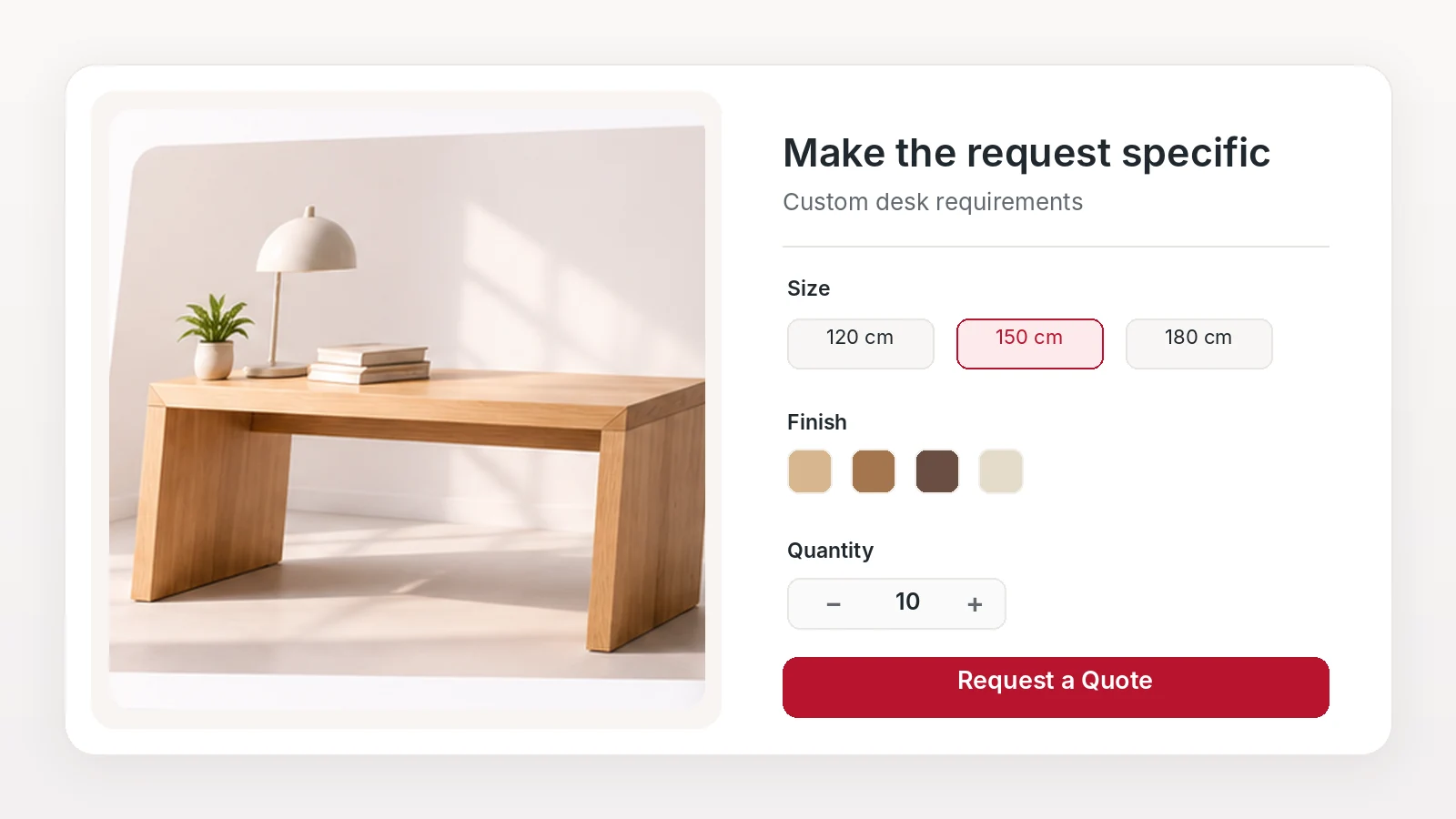
A buyer may choose a desk size, wood finish, number of units, and installation location. The merchant then checks material availability, fabrication time, and delivery conditions.
Useful inquiry fields: dimensions, material, finish, quantity, delivery postcode, reference image.
Good product-page message: “Made to your specification. Send your requirements for an accurate quotation.”
2. Printing, signs, and branded products
The price depends on the number of prints, material, artwork readiness, finishing, and production deadline.
Useful inquiry fields: dimensions, print quantity, paper or substrate, color/finish, file upload, requested delivery date.
Keep uploads restricted to necessary formats and sizes. Do not expose private customer artwork through public URLs.
3. Construction and building supplies
Construction orders often require a quotation because pricing depends on specifications, quantities, fabrication, transport, and site conditions.
For example, a contractor may need steel sections cut to specific lengths, insulation boards in a particular thickness, and delivery to a construction site with restricted unloading access.
Before preparing a quotation, the supplier should confirm material grade, dimensions, quantities, units of measurement, availability, delivery costs, and handling requirements.
A structured product inquiry allows customers to submit these requirements together, including technical drawings or specification files, making it easier to prepare an accurate quotation.
Useful inquiry fields: dimensions, grade, quantity and unit, delivery address area, unloading requirements, drawings.
A real WordPress community discussion about a construction catalog describes exactly this problem: standard products made in custom editions with pricing calculated manually from quantities. Participants suggested approaches ranging from a basic catalog and form to WooCommerce quotation tools. The discussion is useful because it shows there is no single correct setup for every business.
4. Equipment and machinery
The purchase price might depend on accessories, installation, commissioning, training, or site access.
Useful inquiry fields: model, capacity, quantity, power requirements, installation location, accessories, deadline.
5. Large quantity orders across several products
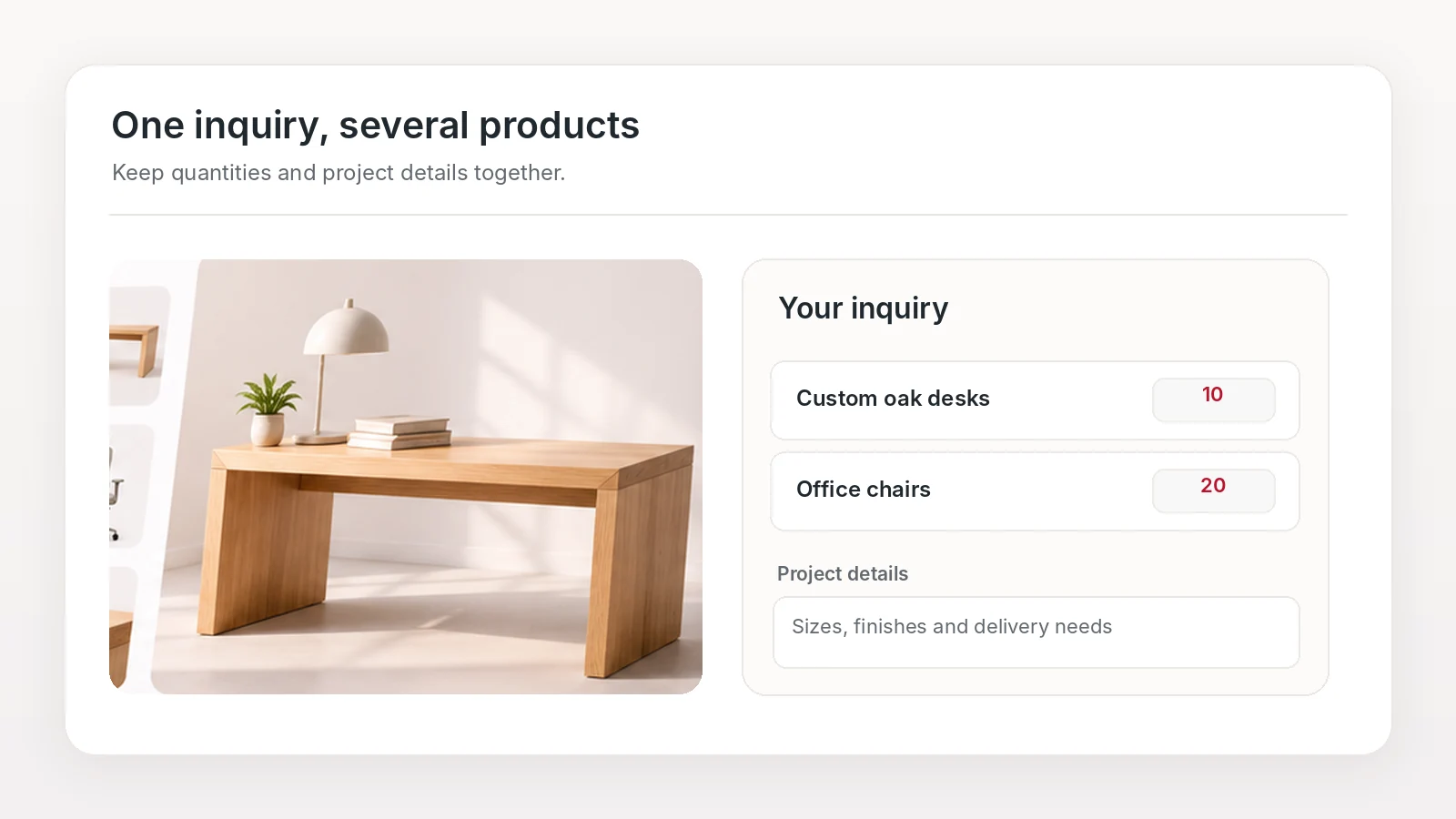
An office purchaser might need desks, chairs, storage cabinets, and meeting-room furniture in one formal proposal.
Useful inquiry fields: selected products and quantities, project name, delivery area, required date, optional company name.
For these buyers, a multi-product inquiry list is often more convenient than sending five separate contact forms.
A Better Customer Journey: From Product Selection to Quotation
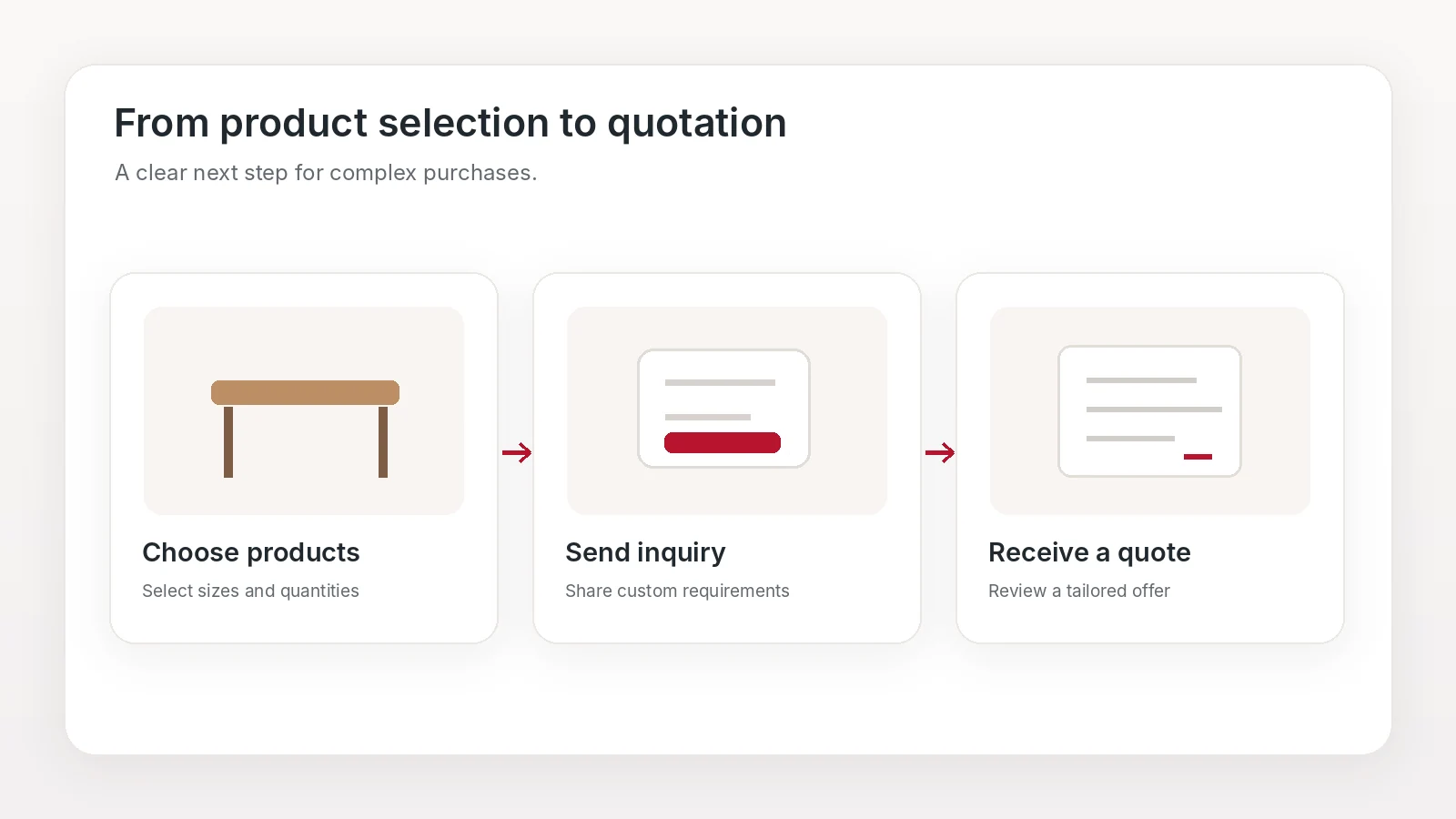
A quote-friendly WooCommerce store should feel like a normal catalog, not a disconnected contact page.
Recommended journey: Browse products → Select quantities and options → Add items to an inquiry → Describe requirements → Submit request → Merchant reviews details → Customer receives a quotation.
The submission is a lead, not an order. Do not deduct stock, mark revenue as earned, or send a payment confirmation merely because the form was submitted.
Step 1: Keep your product pages informative
Show clear photographs, specifications, material choices, approximate lead times when reliable, and anything the buyer should know before asking for a price.
If most orders still have predictable pricing, continue displaying those prices. Only make particular products quote-first when needed.
Step 2: Ask for the minimum useful information
Start with name, email, selected items, quantities, and an open requirements field. Add conditional questions only for relevant products.
For a table, dimensions and finish may matter. For printing, artwork and paper type matter. For standard bulk goods, quantity and delivery location may be enough.
A short form is not always a good form: Leaving out essential specifications can cause several rounds of emails. Aim for just enough information to produce a first useful response.
If your goal is turning these requests into qualified sales conversations, our guide on how to get more leads from your WooCommerce store with Request a Quote covers the lead side in more detail.
For the setup itself, follow our step-by-step guide on how to add a Request a Quote button in WooCommerce.
Step 3: Allow multiple products in one request
When customers select items from several product pages, preserve their chosen products, variations where supported, quantities, and relevant notes. Let them review the list before sending.
This is one situation where RedConic Quote Manager Pro fits naturally: its Add to Inquiry controls and right-side inquiry drawer help shoppers gather products and submit one request rather than copy product names into an email.
Step 4: Assign each request a status and owner
Decide who handles new requests and when the customer should receive a response. Use a simple process:
- New: Received, not yet reviewed.
- In Progress: Clarifications, costing, or supplier checks under way.
- Quoted: A proposal has been sent.
- Closed: The inquiry is no longer active; record the outcome separately if you need more detailed reporting.
RedConic Quote Manager Pro includes a WordPress inquiry dashboard with status tracking and manual quotation functionality. That can reduce the risk of requests being forgotten in a shared email inbox.
Step 5: Prepare a quotation that explains the price
A useful quotation isn't just a total. It should identify products, quantities, included services, the calculation basis, and conditions.
Consider this illustrative example, not a real RedConic customer quotation:
| Item | Calculation | Amount |
|---|---|---|
| 20 custom desks | 20 × $210 | $4,200 |
| Finishing adjustment | 20 × $15 | $300 |
| Delivery | Fixed estimate | $180 |
| Discount on desk base price | 5% × $4,200 | −$210 |
| Quotation subtotal, before applicable taxes | $4,470 |
Confirm whether delivery, optional installation, taxes, and any additional fees are included before sending the final offer. Note a quotation validity period if materials or delivery charges can change.
Step 6: Give customers a clear next step
When a buyer approves the quotation, provide documented instructions for accepting it and completing the sale. The exact transition to WooCommerce checkout depends on the functionality enabled and verified in your installed plugin version.
Do not promise automatic quote-to-order conversion unless your current release actually supports it. If that workflow isn't available, use a controlled merchant-created order or another documented checkout process, ensuring prices and quantities match the agreed quotation.
How to Estimate a Custom Price Without Losing Your Margin
Even when a customer cannot receive an instant price, the merchant should use a repeatable pricing method.
A basic worksheet is:
Quotation price = materials + labor + customization + packaging + shipping + other direct costs + appropriate overhead and margin − approved discounts + applicable taxes and fees.
Use current supplier prices and consistent units. If your product is sold by meter, square foot, kilogram, box, or item, record the correct unit rather than assuming that every inquiry quantity means “pieces.”
Keep these five cost checks in your quotation workflow
- Product scope: Confirm exactly what is being supplied, including sizes, options and units.
- Quantity breakpoints: Account for setup costs and whether the per-unit cost changes at higher volumes.
- Fulfillment: Include packaging, freight, delivery access, and installation where relevant.
- Profitability: Check discounts against your margin before sending the offer.
- Validity: Explain how long the quoted price and expected delivery estimate remain valid.
Don't use a generic “bulk discount” percentage for every item. Ten heavy industrial products may be more expensive to ship than 100 small accessories. Discounts should reflect actual unit economics.
Should You Show Prices or Hide Them?
Hiding prices on every product can discourage buyers who simply want to know whether an item is within their budget. On the other hand, showing an inaccurate fixed price can create disputes or disappointment later.
Use one of three approaches:
Show fixed prices when checkout can be completed reliably.
Show a starting price or clearly labeled estimate when there is a meaningful base configuration, but explain what could change the final figure. Never label a rough estimate as a guaranteed quote.
Use “Request pricing” when no reliable estimate can be given before reviewing requirements.
When a store has both straightforward and made-to-order products, keep checkout for the former and enable product inquiries for the latter. RedConic Quote Manager Pro supports enabling inquiry controls by product and category, helping avoid a blanket quote-only catalog.
Real Questions Store Owners Are Asking
In a separate WooCommerce community discussion, a store owner wanted customers to select products and send a request to the merchant rather than pay at the end of checkout. Replies discussed catalog forms and dedicated quotation plugins.
These are individual experiences, not conversion studies. The recurring problem is still instructive: merchants want to keep the familiar product-selection process but replace an immediate payment requirement with a conversation.
That suggests two questions before choosing software:
- Does the customer need a single question answered or a structured multi-product quotation?
- Does your team need to manage the response inside WordPress, or is a small contact form sufficient?
For an occasional inquiry about one simple item, a contact form may be enough. For repeated custom requests with multiple products, quantities, and statuses, a dedicated system is usually easier to operate.
Where RedConic Quote Manager Pro Helps, and Where It Doesn't
RedConic Quote Manager Pro is an option for WooCommerce merchants who need product-connected inquiries, not a replacement for every pricing and fulfillment task.
Its relevant capabilities include:
- Add to Inquiry controls for eligible products or categories.
- A multi-product inquiry list and right-side drawer.
- A customizable form builder, including conditional fields and file inputs.
- Inquiry records and status management in WordPress.
- Merchant-managed quotations and email-related tools.
- CSV inquiry export for administrative workflows.
The plugin can make it easier to collect and organize requests. It does not automatically determine your material costs, approve discounts, verify delivery feasibility, or guarantee additional sales. Your team still needs accurate pricing rules and a dependable response process.
If you'd like to see whether it fits your catalog, explore RedConic Quote Manager Pro features and plans.
Common Mistakes That Make Custom Orders Harder
Turning every product into a quote request. Preserve straightforward checkout for products with reliable prices.
Using one enormous form. Ask contextual questions rather than showing every field to every visitor.
Collecting requests without assigning an owner. Decide who responds and how unanswered requests are monitored.
Ignoring units and variations. Confirm what “50” means and which product configuration the buyer actually chose.
Forgetting freight and taxes. A quotation can become unprofitable when expensive delivery or regional charges are omitted.
Treating a quote like an order. Keep inquiry status, formal acceptance, stock handling, payment, and fulfillment logically separate.
Overpromising turnaround times. Make realistic commitments based on your team's workflow, not arbitrary marketing promises.
A 7-Day Setup Plan for Your Store
Day 1: Classify products into fixed-price, configurable-price, and quote-required groups.
Day 2: Write down required specifications and units for each quote-required category.
Day 3: Configure relevant WooCommerce product pages and inquiry eligibility.
Day 4: Build and test the customer form, multi-product review, and notifications.
Day 5: Create a costing worksheet and standard quotation checklist.
Day 6: Run test requests on desktop and mobile; verify products, quantities, attachments, email logs, and admin records.
Day 7: Launch on a limited set of products, monitor inquiries, and adjust confusing steps before expanding.
A measured rollout is safer than changing every product page at once.
Frequently Asked Questions
Can I sell WooCommerce products without displaying a fixed price?
You can present products for inquiry rather than immediate purchase using a suitable quote-request workflow. WooCommerce's regular variation checkout has price requirements, so test quote-enabled products instead of relying on a blank price or a hidden Add to Cart button.
Is WooCommerce suitable for custom-made products?
Yes. Fixed-price variations and add-ons work for predictable configurations, while manual quotations work for unique specifications, projects, and delivery requirements.
How do I accept bulk orders in WooCommerce?
For predictable pricing, use a properly configured quantity-based pricing approach. For negotiated or specification-dependent prices, collect a product inquiry, review it, and send a written quotation.
Do I need to hide Add to Cart?
Not usually. For mixed catalogs, giving shoppers both purchase and inquiry options can be useful. Hide or disable immediate purchase only where it is genuinely unsuitable and where the plugin supports doing so safely.
Can customers request quotes for several products together?
Yes, with a multi-product inquiry system such as RedConic Quote Manager Pro's inquiry list and drawer.
What information should a custom-product quote form ask for?
Selected products, quantities, contact information, and relevant specifications such as dimensions, finish, material, delivery location, or files. Ask only for details needed to provide a quote.
Does a quotation request reserve stock?
It should not be assumed to do so. A request is not a completed paid order; verify stock behavior separately in your store and quotation solution.
Can accepted quotes become WooCommerce orders automatically?
Some quotation solutions support that workflow, but it is implementation-specific. Verify the exact RedConic plugin version and enabled settings before telling customers that automatic conversion is available.
Final Thoughts: Make Complex Buying Easier, Not More Complicated
Custom products and large orders do not need to make your WooCommerce store confusing. The key is to offer the right next step: instant checkout for predictable prices, a configurable purchase for standard options, and a well-designed quote process when real review is required.
Start with clear product information and a short, relevant request form. Give customers a convenient way to submit multiple products. Then prepare accurate quotations and respond consistently.
If your store regularly needs this kind of product-based inquiry workflow, RedConic Quote Manager Pro can help you collect requirements and manage quotations from WordPress while leaving ordinary WooCommerce checkout available where appropriate.