A practical guide for WooCommerce store owners who want more qualified product inquiries, better sales conversations, and fewer missed opportunities.
Getting visitors to your WooCommerce store is only part of the job. A customer may like your products but still be unable to purchase immediately. They might need a bulk price, a custom size, shipping to a different region, approval from a manager, or reassurance about a complicated order.
If the only visible option is Add to Cart, that potential sale can end without a conversation.
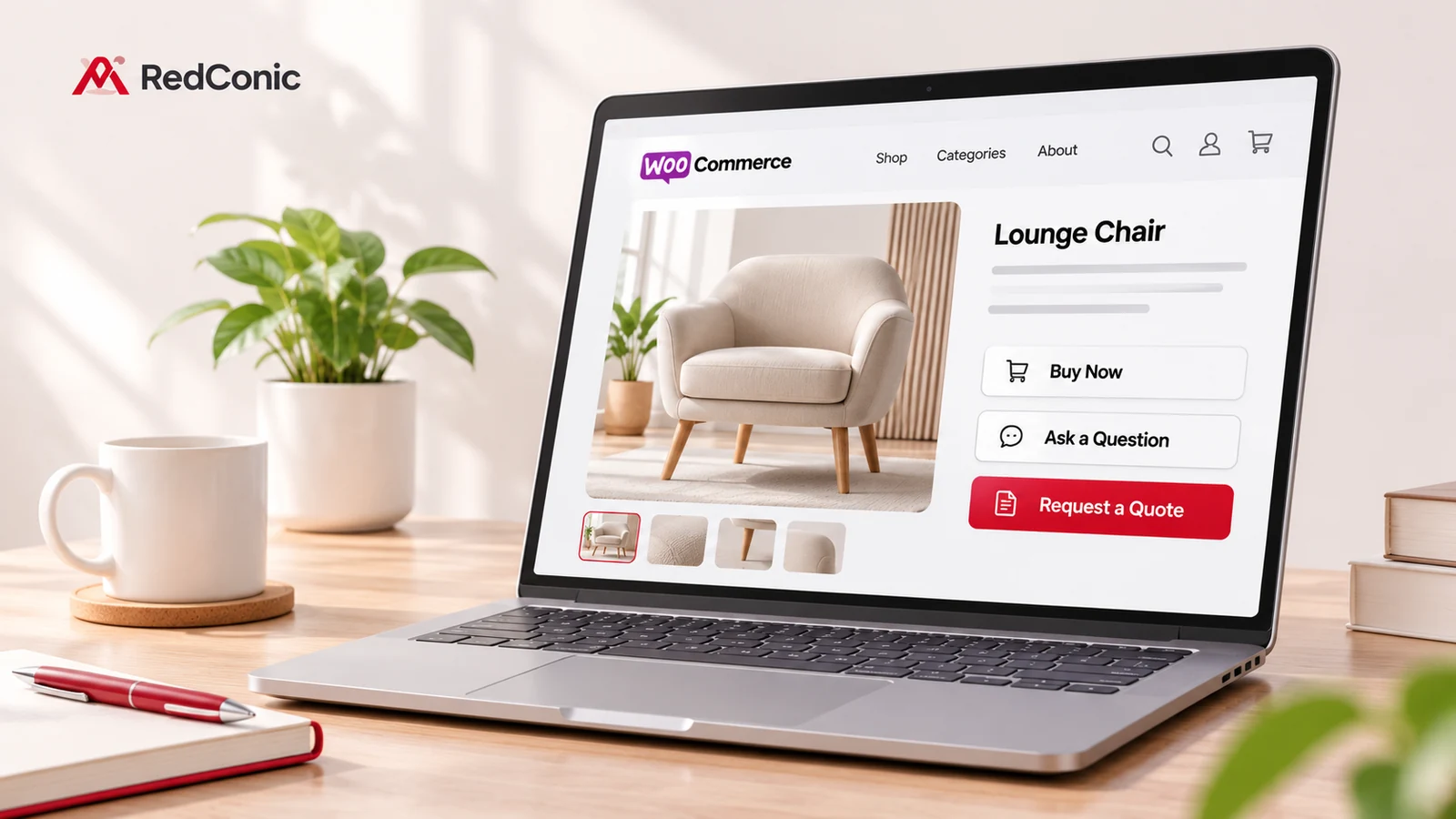
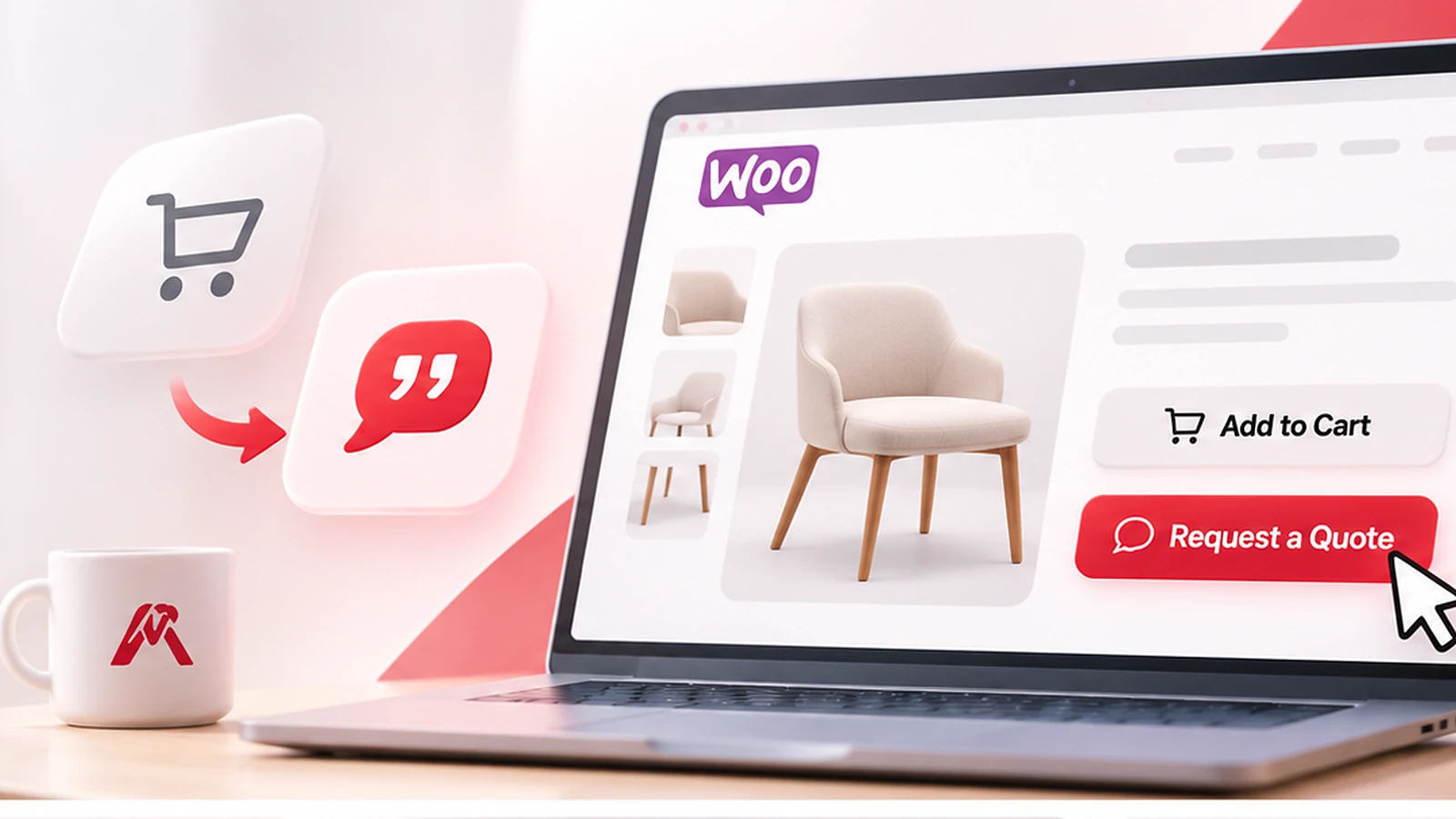
A Request a Quote option gives those visitors another clear next step. Instead of forcing them to buy before they are ready, you can let them select products, explain what they need, and ask for a personalized quotation.
That request becomes a potential lead your team can review and follow up with.
Quick answer: To generate more qualified WooCommerce leads, identify products that need a sales conversation, add an easy product-level inquiry option, collect the right details, respond promptly with a relevant quote, and measure how many inquiries become paying customers.
A plugin such as RedConic Quote Manager Pro can help manage the product inquiry and quotation workflow inside WordPress.
Why Visitors Leave Without Buying, Even When They Want Your Products
Not every abandoned product page represents a lost prospect. Some visitors are researching or simply browsing. Others are interested but cannot commit at the price or with the information currently displayed.
Consider three common scenarios:
A company furnishing a new office
The purchasing manager wants 25 chairs and 10 standing desks. Before placing an order, the company needs a combined quotation, shipping costs, and perhaps a quantity discount.
A homeowner ordering custom furniture
The customer likes a dining table but needs different dimensions, a specific finish, and confirmation that the business can deliver it.
A customer ordering printed materials
The buyer knows the product but needs a price based on paper type, quantity, dimensions, and artwork requirements.
In all three situations, a standard checkout may still be useful later. It is simply not the best first action.
These are not hypothetical problems invented by plugin companies.
In a January 2026 WordPress discussion, a participant described construction products manufactured in custom editions, with manually calculated pricing and no immediate online payment.
In another WordPress discussion from August 2026, a store owner wanted product names, quantities, and customer contact details passed directly into an inquiry.
The lesson is simple: Your buying journey should match how your products are actually sold.
What Is WooCommerce Lead Generation?
WooCommerce lead generation is the process of turning interested website visitors into identifiable prospective customers who have provided enough information for your business to follow up.
A lead could come from a product inquiry, quotation request, consultation form, or another meaningful customer contact.
For quote-based stores, the strongest leads usually contain more than an email address.
They may include:
- The exact products or variations requested.
- Quantities and project requirements.
- Delivery location or expected timeline, when relevant.
- Customer contact information and appropriate consent.
- Supporting files, such as designs or product specifications.
A qualified lead is a potential customer whose requirements match your offering and who is sufficiently interested to begin a useful sales conversation.
Not every inquiry will qualify.
That is why lead quality matters just as much as lead volume.
Lead generation is not the same as getting more orders
A quote request is not a sale. It becomes valuable when the inquiry reaches the right person, receives a useful response, and eventually results in an order.
A sensible WooCommerce lead-generation strategy considers the complete process:
Product Discovery → Product Inquiry → Qualified Lead → Quotation → Customer Decision → Completed Order
A request-a-quote plugin helps with the middle of this journey.
Product quality, pricing, fulfillment, customer service, and follow-up still determine the final outcome.
Seven Practical Ways to Get More Qualified WooCommerce Leads
1. Offer Request a Quote on Products That Need Discussion
Begin with products where the final price, configuration, or delivery terms frequently change.
Examples include:
- Custom manufacturing and made-to-order products.
- Commercial furniture and office equipment.
- Custom printing and branded merchandise.
- Construction materials and specialty supplies.
- Products typically purchased in large quantities.
- Equipment requiring installation or additional services.
Not every product needs a quotation button.
If an inexpensive, straightforward item can be purchased immediately, normal Add to Cart may be the better option.
You can offer both purchasing and quotation options on appropriate products, or enable quotations only for selected products or categories.
With RedConic Quote Manager Pro, merchants can configure Add to Inquiry controls for eligible WooCommerce products and categories.
This allows the quotation workflow to be targeted rather than applied unnecessarily across the entire catalog.
Practical recommendation: Test straightforward labels such as "Request a Quote" and "Add to Inquiry." The wording should make it clear that submitting the form does not place a paid order.
2. Let Customers Inquire About Several Products at Once
A single-product contact form can work for an occasional question.
However, customers planning larger purchases may need quotations for several products.
Imagine an office manager selecting:
- 20 ergonomic office chairs.
- 8 height-adjustable desks.
- 5 filing cabinets.
- 12 desk lamps.
Asking that customer to complete a separate form for every product creates unnecessary work.
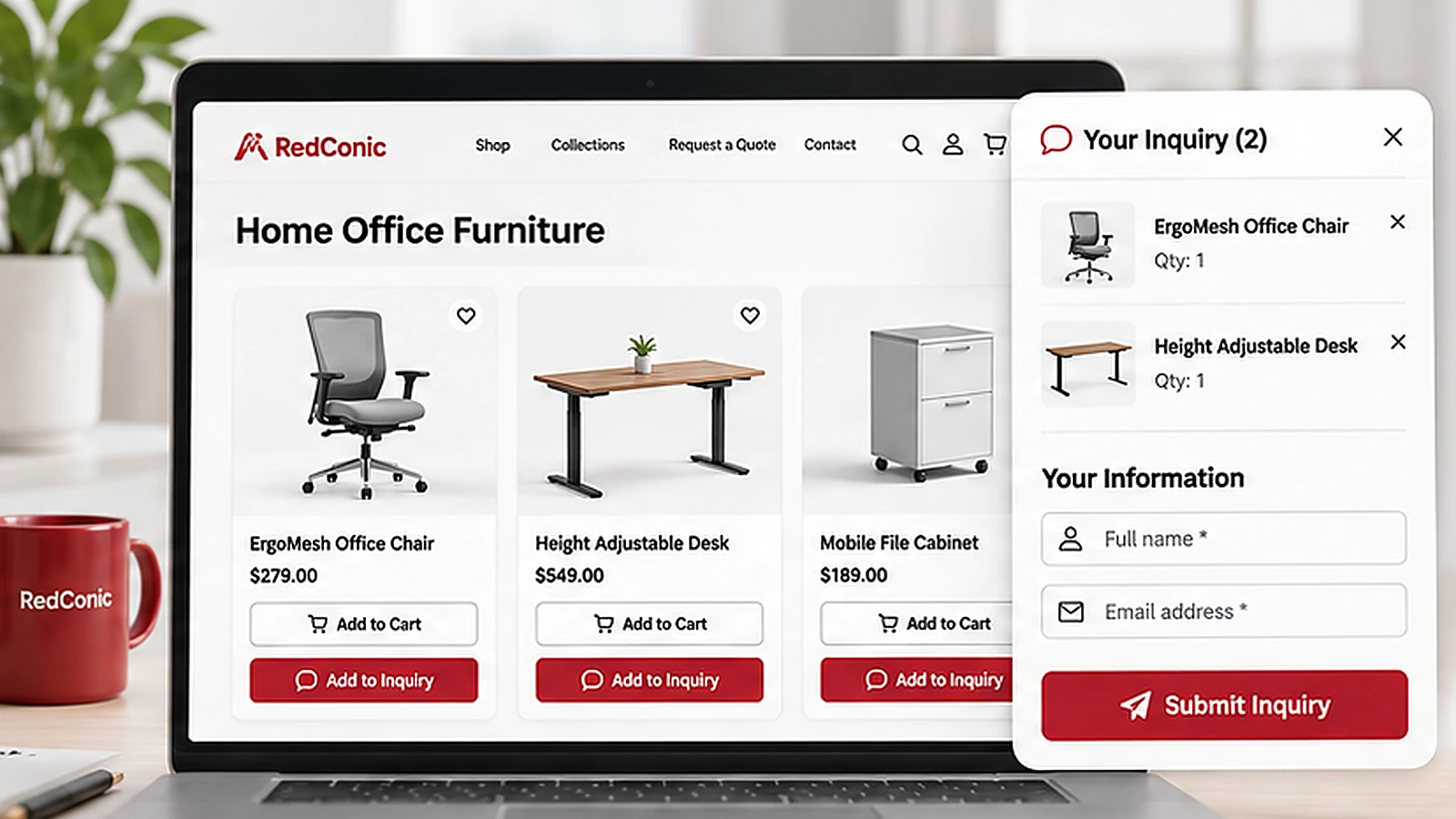
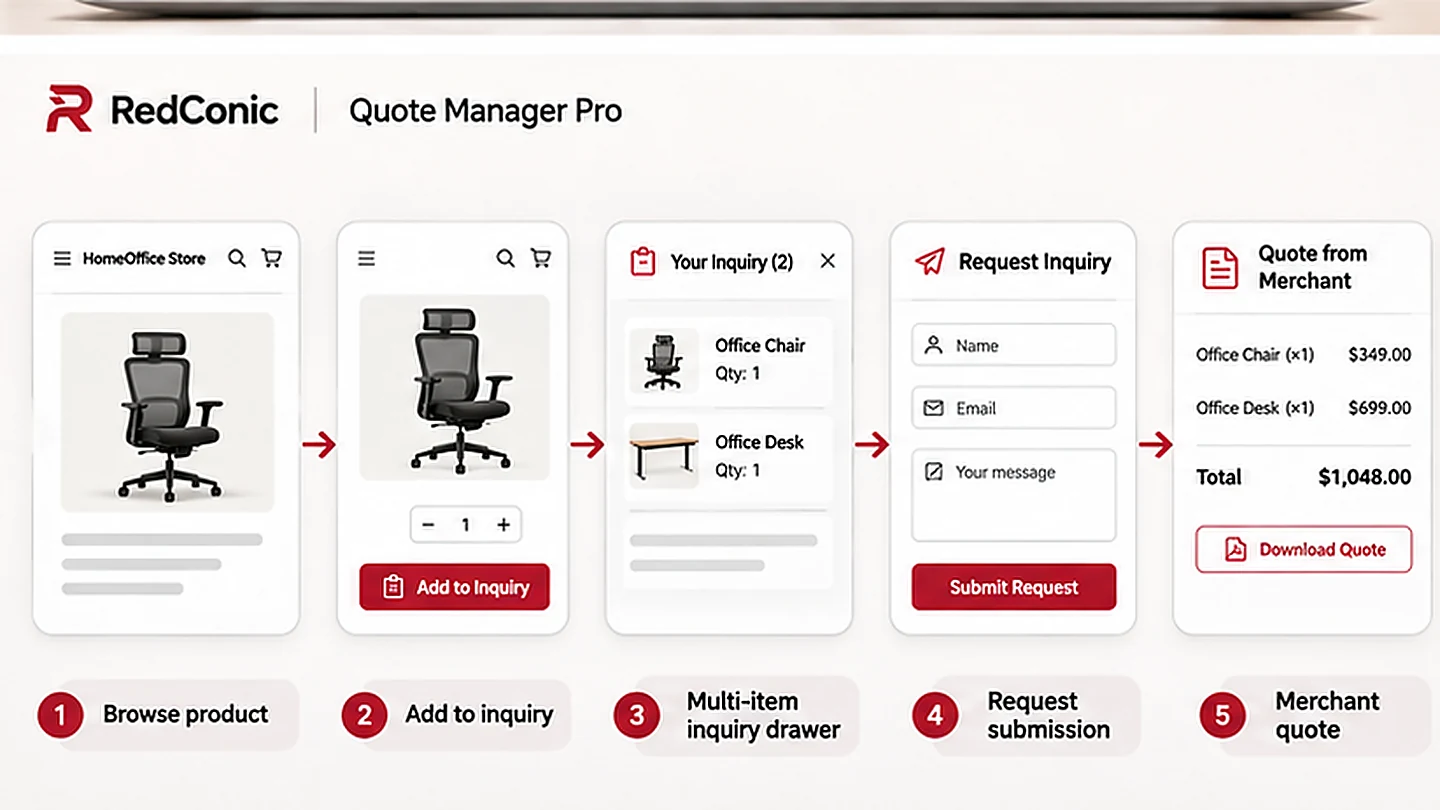
A better experience allows customers to browse your catalog, select products, review their inquiry list, and send one consolidated request.
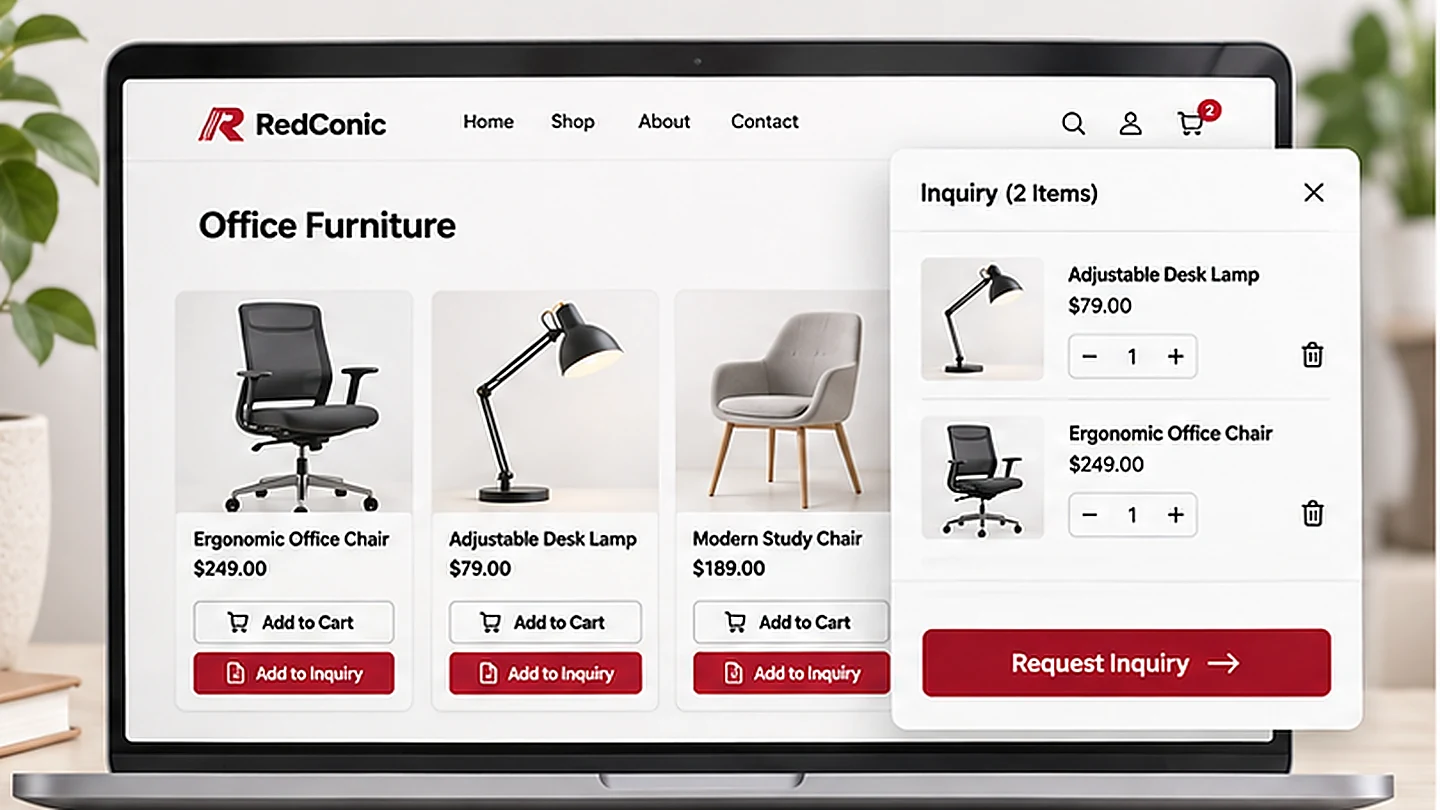
RedConic Quote Manager Pro supports an inquiry list and a right-side drawer showing selected product information.
Customers can build their inquiry as they browse instead of repeatedly switching to a separate contact page.
For merchants, this creates a more useful request because related products and quantities arrive together.
Why this helps: It reduces the effort required to express buying interest while giving your sales team more context for its quotation.
3. Collect the Right Customer Information
A generic contact form usually asks for a name, email address, and message.
For some businesses, that is enough.
For others, it creates additional emails because the sales team must ask for quantities, dimensions, delivery information, or specifications before preparing a quote.
However, collecting too much information can also discourage submissions.
The objective is to find a practical balance.
A useful starter form usually includes:
- Customer name.
- Email address.
- Selected products and quantities.
- A short requirements or project description field.
Add phone numbers, locations, deadlines, or attachments only when they are relevant.
For example, a custom furniture business may need dimensions and material preferences.
A commercial printing company may need artwork files, quantities, and finishing requirements.
A flexible form can show different fields depending on the request.
RedConic Quote Manager Pro includes a customizable inquiry form builder with required fields, file inputs, and conditional field options.
These tools make it possible to tailor the information collected without forcing every customer through the same long form.
Practical recommendation: Collect better information, not simply more information.
Provide a clear privacy notice and avoid collecting personal information that is unnecessary for preparing a quotation.
4. Make the Request Process Easy on Mobile
Some customers begin researching products on their phones and complete the purchasing process later.
A quotation option must therefore work well on smaller screens.
Check the following:
- Can customers easily find the Add to Inquiry button?
- Is the button large enough to tap?
- Can they review selected products without horizontal scrolling?
- Is the inquiry drawer easy to close?
- Can they remove products without losing the rest of their inquiry?
- Are form errors easy to understand?
- Can they submit an inquiry without unnecessary account-creation steps?
Mobile usability also depends on performance.
Large images, unnecessary scripts, slow server responses, and unstable layouts can make a simple request feel complicated.
A quotation feature should not make the product page slower or harder to use.
Practical recommendation: Test the complete inquiry process on a real phone, including a slower network connection.
The customer should be able to find a product, select it, enter the necessary details, and submit the request without zooming or losing information.
5. Make Email Notifications Reliable and Useful
Capturing an inquiry is only the first part of the process.
Your team must know when a potential customer needs attention.
A useful inquiry notification should clearly identify:
- The customer and their contact details.
- The requested products.
- Quantities and relevant variations.
- Additional requirements.
- A link or reference to the inquiry record.
The customer should also receive a confirmation that their request has been received.
This confirmation should explain what happens next without promising a particular price or delivery date before the details are reviewed.
RedConic Quote Manager Pro includes inquiry administration and email-related controls, including email logs.
Store owners should configure these carefully and test delivery using their production email setup.
Use an actively monitored business email address rather than an inbox nobody checks.
Practical recommendation: Create an internal response target and assign responsibility for each new inquiry.
A system can organize requests, but someone still needs to respond to the customer.
6. Respond With Clear and Professional Quotations
A quotation should answer the customer's actual request.
It should not simply repeat the product description from your catalog.
An effective quotation will normally clarify:
- The requested products and quantities.
- Product specifications or customizations.
- Relevant pricing and discounts.
- Shipping and handling assumptions.
- Applicable taxes and fees.
- The quotation's validity period.
- The next step if the customer wants to proceed.
If additional information is required, ask for it promptly.
Try to collect related questions together rather than sending several incomplete follow-up messages.
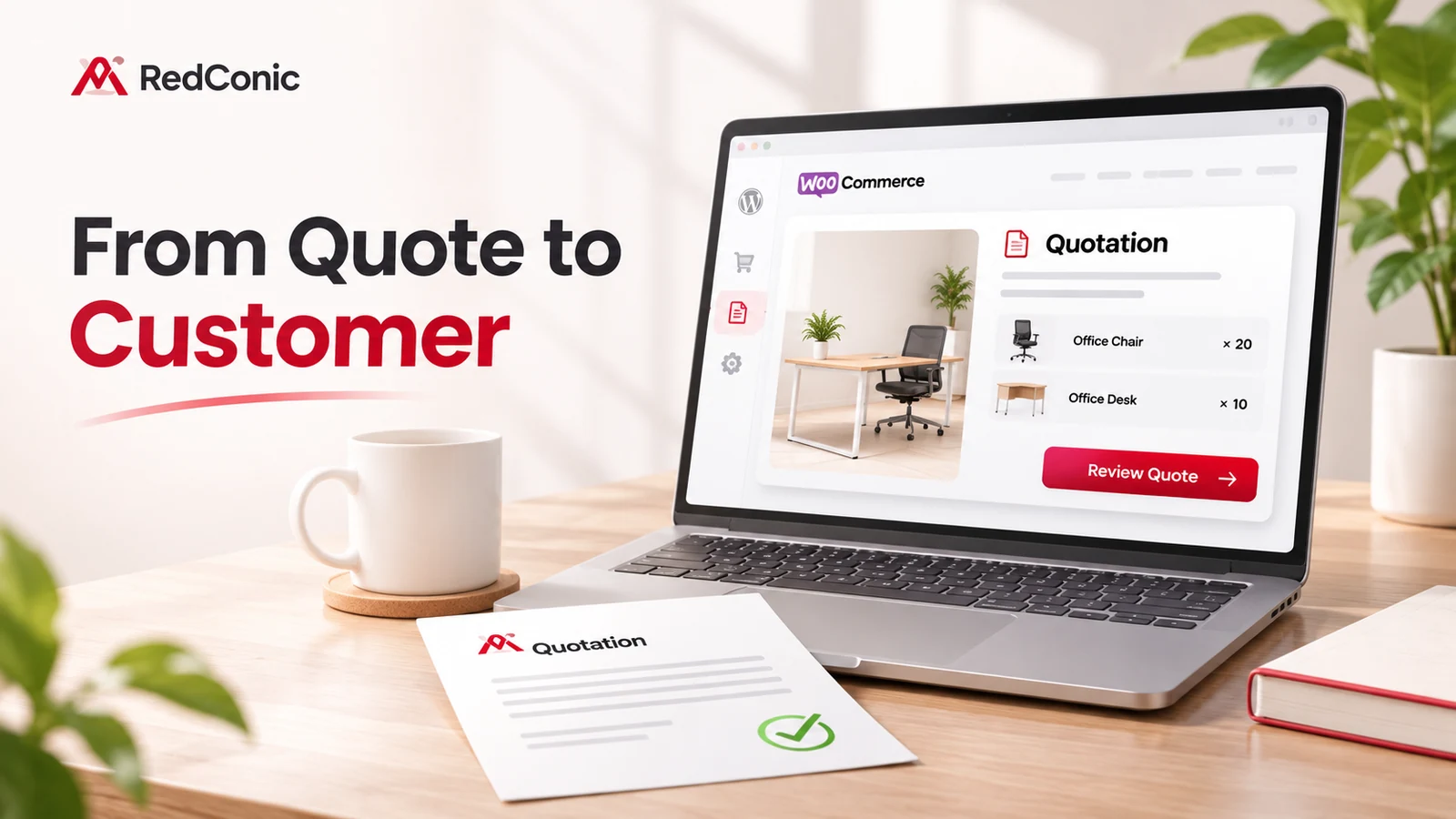
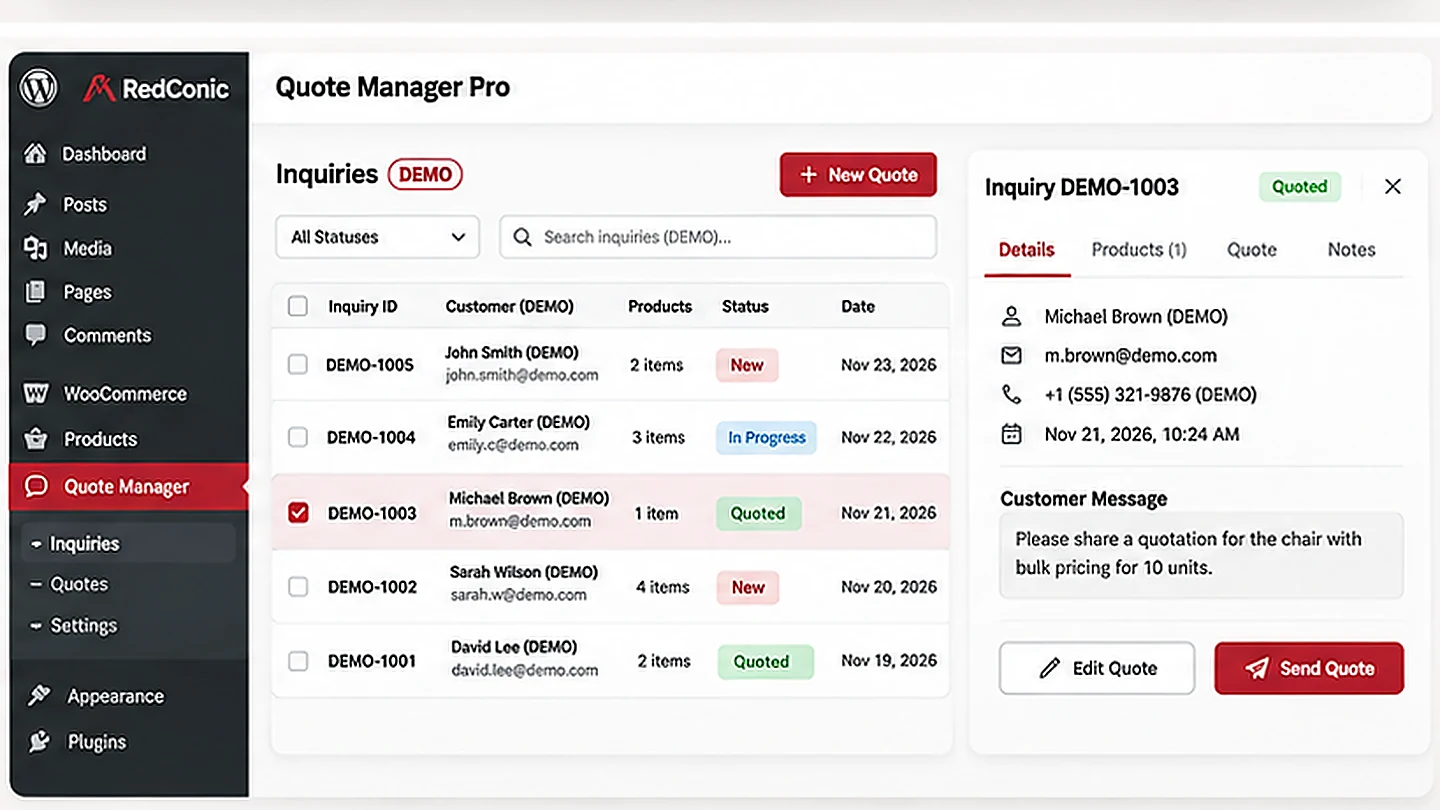
RedConic Quote Manager Pro provides an inquiry dashboard and manual quotation management.
The available inquiry statuses help staff distinguish requests that are new, in progress, quoted, or closed.
This is especially useful when a store receives multiple inquiries and more than one team member handles sales.
Instead of depending entirely on separate emails, the team can work from organized inquiry records.
Practical recommendation: Create a consistent quotation checklist and review it before sending every proposal.
Customers should understand what is included, what is excluded, and what they need to do next.
7. Track Qualified Leads and Completed Sales
A higher number of inquiries can be encouraging.
But it does not automatically mean your business is making more money.
Consider a store that receives 100 quotation requests.
If only five match the products and services it offers, the apparent lead volume is misleading.
A smaller number of well-qualified inquiries may be more valuable.
Track the following metrics:
| Metric | What it tells you |
|---|---|
| Inquiry conversion rate | How frequently relevant visitors submit inquiries |
| Qualified lead rate | How many inquiries fit your business |
| First-response time | How promptly your sales team responds |
| Quote-to-order rate | How frequently sent quotations result in completed orders |
| Revenue from quoted leads | How much actual sales revenue is attributable to quotations |
Example: Measuring WooCommerce Leads
Suppose your website receives 5,000 relevant visits in one month.
You receive 100 inquiries, and your team identifies 60 as qualified.
That gives you:
- 2% inquiry conversion rate, based on visits.
- 60% qualified lead rate, based on submitted inquiries.
If 12 qualified inquiries become completed orders, the qualified-lead-to-order conversion rate is 20%.
These are illustrative figures, not performance results from RedConic customers.
You can use WooCommerce Analytics and Sales Reports to review completed orders and sales.
Combine those records with your inquiry management and campaign-tracking data to determine which inquiries actually generate revenue.
What Independent Conversion Research Can Teach Us
It is tempting to think that getting more website traffic is always the fastest way to increase sales.
However, the customer experience after a visitor arrives can be equally important.
A published WP Creative case study about Tile Factory Outlet reported an approximately 75% increase in quotation requests while traffic increased roughly 28% during the initial six-month comparison period.
The improvements involved several areas of the ecommerce website, including performance, reliability, product-selection usability, and search optimization.
This was not a RedConic Quote Manager Pro study, and the results should not be attributed to any single plugin.
It demonstrates a broader principle.
Improving the experience after visitors reach your website can sometimes generate more valuable customer actions without relying only on increased traffic.
The goal is not simply to attract more people.
It is to help the right people take the next relevant step.
How RedConic Quote Manager Pro Helps WooCommerce Stores Capture Leads
If your business already uses WooCommerce, a product-connected inquiry system can be more practical than managing scattered messages from a generic contact form.
RedConic Quote Manager Pro is a WordPress plugin designed to help WooCommerce store owners capture and manage product inquiries.
Product-level Add to Inquiry buttons
Merchants can give customers a clear way to request information or pricing about eligible products.
The inquiry feature can be configured for selected products or categories, making it appropriate for stores that sell both directly purchasable and quotation-based products.
Multi-product inquiry experience
Customers can collect products in an inquiry list instead of submitting individual messages for each item.
A right-side inquiry drawer provides a place to review selected products during the shopping journey.
Customizable inquiry forms
Store owners can configure forms to collect the information their business needs.
Available field options include required inputs, conditional fields, and attachments.
This is especially helpful for products that require specifications or custom project details.
Inquiry management dashboard
Submitted inquiries can be reviewed and organized from the WordPress administration area.
Statuses such as New, In Progress, Quoted, and Closed make it easier for staff to understand what needs attention.
Manual quotation management
Businesses can prepare quotations in response to customer requests.
This gives merchants more control when products cannot be sold using a simple fixed-price checkout.
Email-related tools
The plugin provides email configuration and logging capabilities to support the notification process.
Reliable customer confirmations and internal alerts are important parts of an inquiry-based sales operation.
Inquiry exports
CSV export support allows businesses to work with inquiry records for internal reporting or other administrative needs.
Designed for WooCommerce workflows
The plugin works with the WooCommerce product context, helping merchants maintain a connection between the customer's requested products and the quotation process.
These features can reduce fragmented manual work.
However, they do not replace the responsibility to quote accurately, communicate clearly, and follow up with prospective customers.
Explore the plugin: See RedConic Quote Manager Pro features and pricing.
A Practical 30-Day WooCommerce Lead-Generation Plan
You do not need to redesign your entire website before improving your inquiry process.
A focused four-week plan can help you identify what works.
Week 1: Identify the Opportunity
Review your product catalog and identify items that often require customer questions or custom pricing.
Look at frequently asked questions, existing emails, and products that attract interest but rarely receive direct orders.
Write down what information your team normally needs before preparing a quotation.
Week 2: Build the Inquiry Experience
Add the quotation option to suitable products.
Configure the form fields, customer-facing labels, and email notifications.
Test the complete experience on desktop and mobile.
Make sure you can submit a real test inquiry and retrieve it from the admin area.
Week 3: Improve the Sales Response
Create a standard checklist for preparing quotations.
Assign responsibility for new requests and establish an appropriate response target.
Review whether customers receive understandable confirmations.
Check that your team can identify which requests still need attention.
Week 4: Measure and Refine
Review how many inquiries were submitted.
Identify how many were qualified.
Look at response times, quotations sent, and completed sales.
Remove unnecessary form fields and improve product descriptions where customers appear confused.
Avoid changing too many elements simultaneously if you want to identify what contributes to better results.
Common WooCommerce Lead-Generation Mistakes
Making every product quote-only
Customers who are ready to purchase a simple product may become frustrated if they must request a quotation.
Keep direct checkout available where appropriate.
Asking too many questions
A long inquiry form can discourage potential customers.
Only require information that is genuinely needed.
Sending notifications to an unmonitored mailbox
An effective inquiry form cannot compensate for missing or delayed responses.
Make sure your sales team has a dependable process.
Treating inquiries as confirmed revenue
An inquiry is an opportunity, not a completed transaction.
Separate submitted inquiries, sent quotations, accepted proposals, and paid orders when measuring performance.
Forgetting quotation validity
Prices, availability, and delivery costs may change.
Explain any conditions that affect a quotation before the customer makes a purchasing decision.
Ignoring mobile usability and accessibility
Inquiry buttons and forms must be easy to use on mobile devices and accessible to keyboard users.
A conversion feature should improve the purchasing experience, not create additional obstacles.
Ready to set it up? Follow our step-by-step guide on how to add a Request a Quote button in WooCommerce. If you sell made-to-order items or large quantities, see how to sell custom products and bulk orders in WooCommerce without fixed prices.
Frequently Asked Questions
Can WooCommerce generate leads without taking payment immediately?
Yes. WooCommerce stores can collect product-specific inquiries and prepare quotations before requesting payment.
This is useful when pricing, quantities, or project requirements must be reviewed.
Is Request a Quote better than Add to Cart?
Neither option is universally better.
Add to Cart is ideal for straightforward purchases with clear prices.
Request a Quote is useful for custom products, higher-value purchases, and orders requiring negotiation or additional information.
Some stores benefit from offering both.
Can customers request quotations for multiple WooCommerce products?
Yes, when the store uses a quotation solution that supports multi-item inquiries.
RedConic Quote Manager Pro includes an inquiry list designed for this workflow.
Does adding a quote form automatically increase sales?
No.
It creates an additional way for interested visitors to contact your business.
Results depend on product suitability, form usability, traffic quality, pricing, response speed, and follow-up.
What information should a WooCommerce quotation form collect?
Start with the customer's name, email, requested products, quantities, and a short requirements field.
Additional information should depend on what your business needs to prepare an accurate quote.
How can I measure whether my quotation process works?
Track submitted inquiries, qualified leads, quotations sent, first-response times, completed orders, and attributed revenue.
Compare these figures over consistent periods.
Do I need a dedicated quotation plugin if I already have a contact form?
Not necessarily.
A simple contact form may be sufficient for occasional questions about individual products.
A dedicated quotation workflow becomes more useful when customers need to select multiple products, include quantities and specifications, and receive managed quotations.
Final Thoughts: Make It Easier for Interested Customers to Contact You
Getting more customers from WooCommerce does not always require more advertising or traffic.
Sometimes the opportunity is already on your website.
Visitors may be interested in your products but need more information, custom pricing, or a formal quotation before they can buy.
A Request a Quote option gives those potential customers a practical next step.
Combined with clear forms, organized inquiry management, dependable communication, and useful performance measurement, it creates a stronger foundation for WooCommerce lead generation.
If your business sells custom products, handles large quantity orders, or regularly prepares personalized pricing, a quotation workflow may be worth considering.
Ready to offer product inquiries alongside your WooCommerce store?
Explore RedConic Quote Manager Pro and see whether its features fit the way your customers buy.